


The strongest LinkSquares alternatives are contract lifecycle management (CLM) platforms that differ on pricing, how fast they go live, and where their work happens—led by HyperStart CLM for lower mid-market legal and ops teams, Ironclad for enterprise workflow automation, and Summize for teams that want to stay inside Microsoft Word. The rest of this page lays out each option honestly, with a “best for” descriptor you can act on.
LinkSquares is best known for its secure repository and its analytics and reporting. But teams that outgrow a shared drive and Word templates are usually buying something broader: a product that runs the whole lifecycle—intake, templates, approval workflow, redlining, signature, renewal and tracking—without a six-month project to stand it up. That is where most people start looking elsewhere.
- LinkSquares is best known for its secure repository and analytics, and it is sold on a custom, quote-only model (LinkSquares pricing), benchmarked at about $10,000 to $31,000 per year for small-to-midmarket teams and $75,000+ for enterprise (ContractSafe’s LinkSquares pricing review).
- LinkSquares implementation is reported at roughly 10-12 weeks.
- Ironclad suits enterprise teams with an implementation budget; Summize suits teams that want to draft and redline inside Microsoft Word.
- HyperStart is best for lower mid-market legal and operations teams that want the whole contract lifecycle in one product, live in weeks, with no implementation partner.
- The honest test for any CLM is to run it on ten of your own real contracts.
Top LinkSquares alternatives at a glance
The main LinkSquares alternatives are HyperStart, Ironclad, Summize, Evisort, SpotDraft and Juro, and they differ most on pricing transparency, implementation time and lifecycle coverage.
| CLM platform | Best for | Pricing transparency | Reported implementation | Pre- / post-signature | Free trial |
| HyperStart CLM | Lower mid-market legal and ops teams that want the whole lifecycle in one product, live in weeks | Custom quote, implementation included | Live in weeks | Both | 7-day free trial (HyperStart pricing) |
| Ironclad | Enterprise teams with an implementation budget and a workflow-first requirement | No public prices—sold by quote | Enterprise project (separate from license) | Both | No; demo only, no self-serve trial |
| Summize | Teams that want to draft and redline inside Microsoft Word, Outlook and Teams | No public prices—sold by quote after a demo | Run in 3-4 week sprints; fully rolled out within 12 weeks or less | Pre-signature-leaning | No; demo only |
| Evisort | In-house legal wanting AI extraction across a legacy contract estate | No public prices—sold by quote | Workday cites 21 days on average for Contract Intelligence deployments | Post-signature-leaning (intelligence layer) | No; demo only |
| SpotDraft | Scaling legal teams wanting configurable workflows, built and staffed for enterprise | No public prices—sold by quote | Reported ~3-4 weeks | Both | No; personalized demo only |
| Juro | Small teams on standard paper wanting a browser-native editor to start with | No public prices—sold by quote | Reported ~4 weeks | Pre-signature-leaning | No; demo only |
Why teams look for LinkSquares alternatives
Teams look for LinkSquares alternatives for three reasons: quote-only pricing, implementation measured in quarters, and AI extraction that needs manual checking. None of them is a knock on what LinkSquares does well—a secure repository and strong analytics—they are about fit, budget and speed.
Pricing you can’t see until the sales call
LinkSquares runs on a custom, quote-only model (LinkSquares pricing), so your cost is driven by contract volume, user count and the modules you turn on. Independent benchmarks put it at about $10,000 to $31,000 per year for small-to-midmarket teams and $75,000+ for enterprise (ContractSafe), with implementation of $10,000 to $75,000+ on top (Vendr). For a two-person legal team that has to defend the number to finance, a price you can only get on a call is a real obstacle, so ask for the all-in first-year number: license, implementation, and the tier that includes what you saw in the demo. Our LinkSquares pricing breakdown walks through what drives the quote.
Implementation measured in quarters, not weeks
LinkSquares implementation is reported at roughly 10-12 weeks and, in reviews, often runs longer than advertised—it needs structure, data and time to stand up. If you are the person who inherited the mess, a drawn-out setup is time you do not have.
AI that still needs a human to check it
LinkSquares’ AI is praised for the repository but reviewers note its extraction can be limited, and across review sites and forums the common complaint is that AI extraction needs manual checking before you can trust it. The honest test for any CLM is to run it on ten of your own real contracts—not the demo set—and check the extracted fields yourself.
If you want the short version of that trade-off, compare Ironclad and LinkSquares side by side before you shortlist.
How we analyzed and selected these alternatives
We reviewed the contract management platforms buyers most often weigh against LinkSquares to shortlist the alternatives here, weighing ease of use, integrations, security, price and scalability alongside the granular features. We read trusted user reviews on G2 and Capterra, and we separated license cost from implementation cost wherever a vendor sells the two as one number—because the quote on the slide is rarely the number the buyer pays.
Top LinkSquares alternatives
1. HyperStart CLM
Best for
Lower mid-market legal and operations teams that want the whole contract lifecycle in one product, live in weeks, with no implementation partner and implementation included in the quote.
About HyperStart CLM
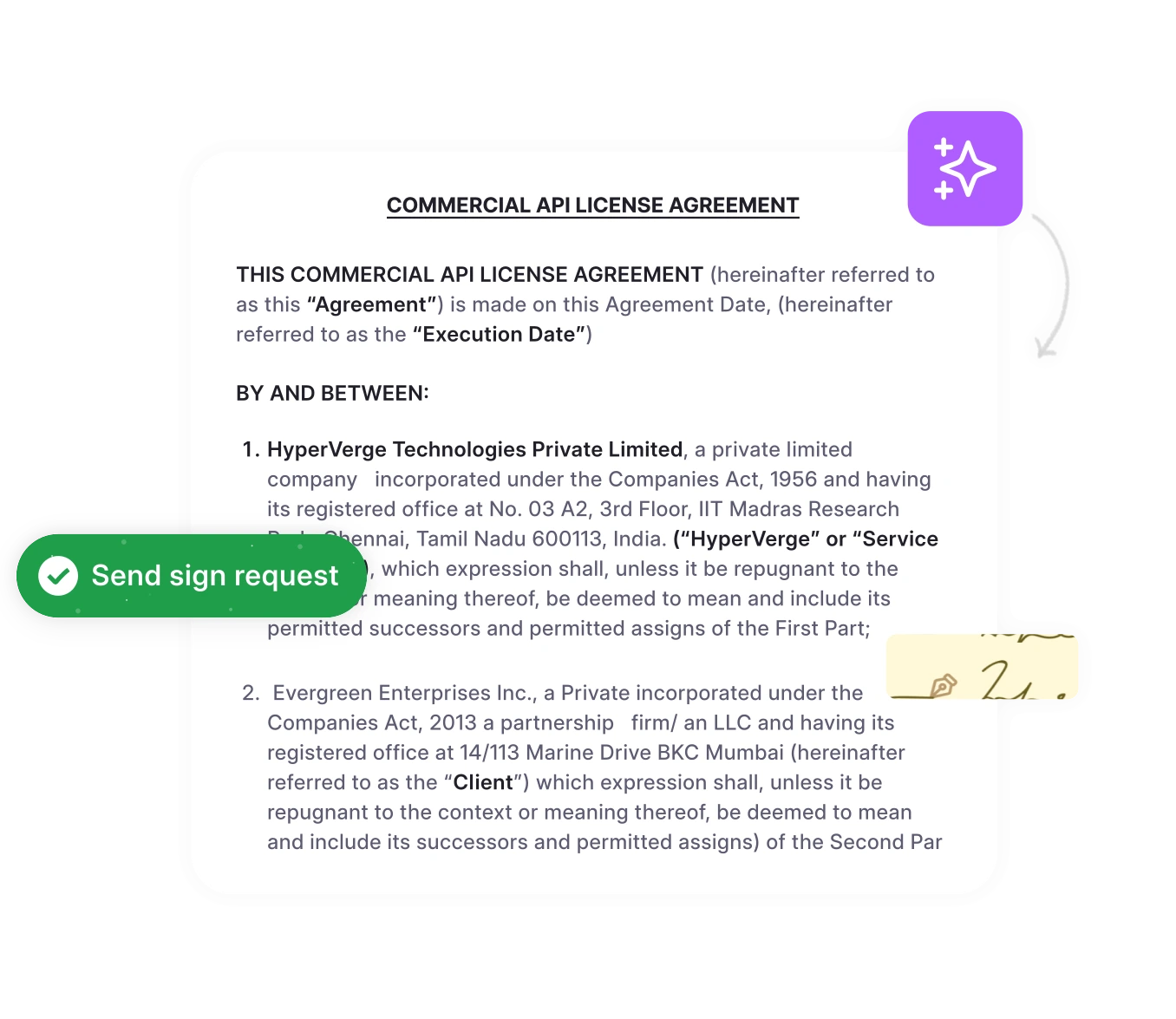
HyperStart is contract lifecycle management (CLM) software from HyperVerge for lower mid-market legal and operations teams. It covers the whole contract lifecycle in one product and goes live in weeks, with no implementation partner. The difference from LinkSquares in one line: HyperStart runs contracts and reports on them; LinkSquares is built around reporting on them. One product handles intake, self-serve templates, approvals you wire up yourself, Word-based redlining in-platform, e-signature, searchable storage, contract families with rolled-up metadata, and renewal and obligation tracking. No integrator, no partner margin, no half-year runway—you talk to the builders and are live in weeks.
On pricing, it is a custom quote based on users or contract volume, with implementation and contract migration included at no extra cost.
Key features
- Repository: find any clause across every contract in seconds, with the current version obvious.
- Templates the business self-serves, so the same NDA is not rebuilt forty times.
- Approval workflow for any structure, drawn visually and changed by you—no ticket, no consultant.
- Redlining and negotiation in Word, inside the platform.
- Contract family linking with metadata rolled up across the family.
- Renewals, expiries and obligations tracked with self-chasing reminders and escalations.
How HyperStart compares to LinkSquares
| Factor | HyperStart CLM | LinkSquares |
| AI reliability | Extraction, review and redlining you can test on your own real contracts | Extraction reviewers describe as limited; custom smart tags a paid add-on |
| Pricing model | Custom quote, implementation included | Custom, quote-only; benchmarked ~ $10,000-$31,000/yr small-to-midmarket, $75,000+ enterprise (ContractSafe), implementation extra |
| Implementation | Live in weeks, no integrator | Reported 10-12 weeks |
| Free trial | 7-day free trial (HyperStart pricing) | No free trial or free version (LinkSquares pricing lists none) |
| Security | SOC 2 Type 2, ISO 27001 (certified); HIPAA compliant | SOC 2 Type 2, ISO 27001, GDPR |
What HyperStart’s customers say
We took demos of around 5 CLM vendors and chose to go with HyperStart. They were the only CLM vendor who had SOC2 compliance and met the criteria of around 22 parameters which we had evaluated them on. —Om Prakash Pandey, Head of Legal at LeadSquared · Read case study
Implementation was very smooth. Using the bulk upload feature, all contracts were integrated into the system within minutes. I was also able to see the AI extracted metadata on the tool immediately, which was impressive. —Mayuri Jaltare, Company Secretary at Qapita · Read case study
Want to see whether the AI holds up on your paper? Book a demo and run it on ten of your own contracts.
2. Ironclad
Best for
Enterprise teams with an implementation budget that want a workflow-first, visual builder across the whole lifecycle.
About Ironclad
Ironclad is an enterprise-grade CLM known for workflow automation and a visual builder that routes agreements from request through signature and storage. It is the alternative most often named when the requirement is deep, configurable workflow at enterprise scale, and it ranks at the top of search for LinkSquares alternatives.
A note on cost that buyers miss: Ironclad’s license and its implementation are two separate line items. The entry license is one number; standing the platform up is a project on top of it. Keep them apart when you compare—the quote on the slide is not the all-in figure.
Key features
- Visual, configurable workflow builder for request-to-signature routing.
- Repository with metadata and reporting.
- AI-assisted review and extraction.
Pros
- Mature, workflow-first platform suited to complex enterprise approvals.
- Broad integration ecosystem.
Cons
- – Priced and scoped for enterprise, with an implementation project separate from the license.
- Heavier than a two-person team can run without help.
Pricing
Publishes no prices—sold by quote. 4.4 stars on Capterra (as of Oct 2026, 71 reviews).
3. Summize
Best for
Teams that want to draft, review and redline without leaving Microsoft Word, Outlook and Teams.
About Summize
Summize’s distinguishing angle is that it meets legal and business users inside the tools they already use—Word, Outlook and Teams—rather than pulling them into a separate application. Where LinkSquares leans toward post-signature repository and analytics, Summize focuses on the pre-signature work of drafting and redlining in Word.
Key features
- Word-native drafting and redlining.
- Integrations with Outlook and Teams.
- Contract summarization and review.
Pros
- Low friction for teams that live in Microsoft Word.
- Fast to adopt for pre-signature work.
Cons
- Weighted toward pre-signature; a team wanting the whole lifecycle in one product should check post-signature depth.
Pricing
Sold by quote: Summize’s pricing page lists no prices and routes buyers to a demo (as of Oct 2026). Implementation runs in 3-4 week sprints led by Summize’s in-house team, with full rollout in 12 weeks or less (summize.com/pricing).
Still comparing CLM options?
Send us your approval matrix and a contract family and we’ll build both in the demo.
Book a Demo4. Evisort
Best for
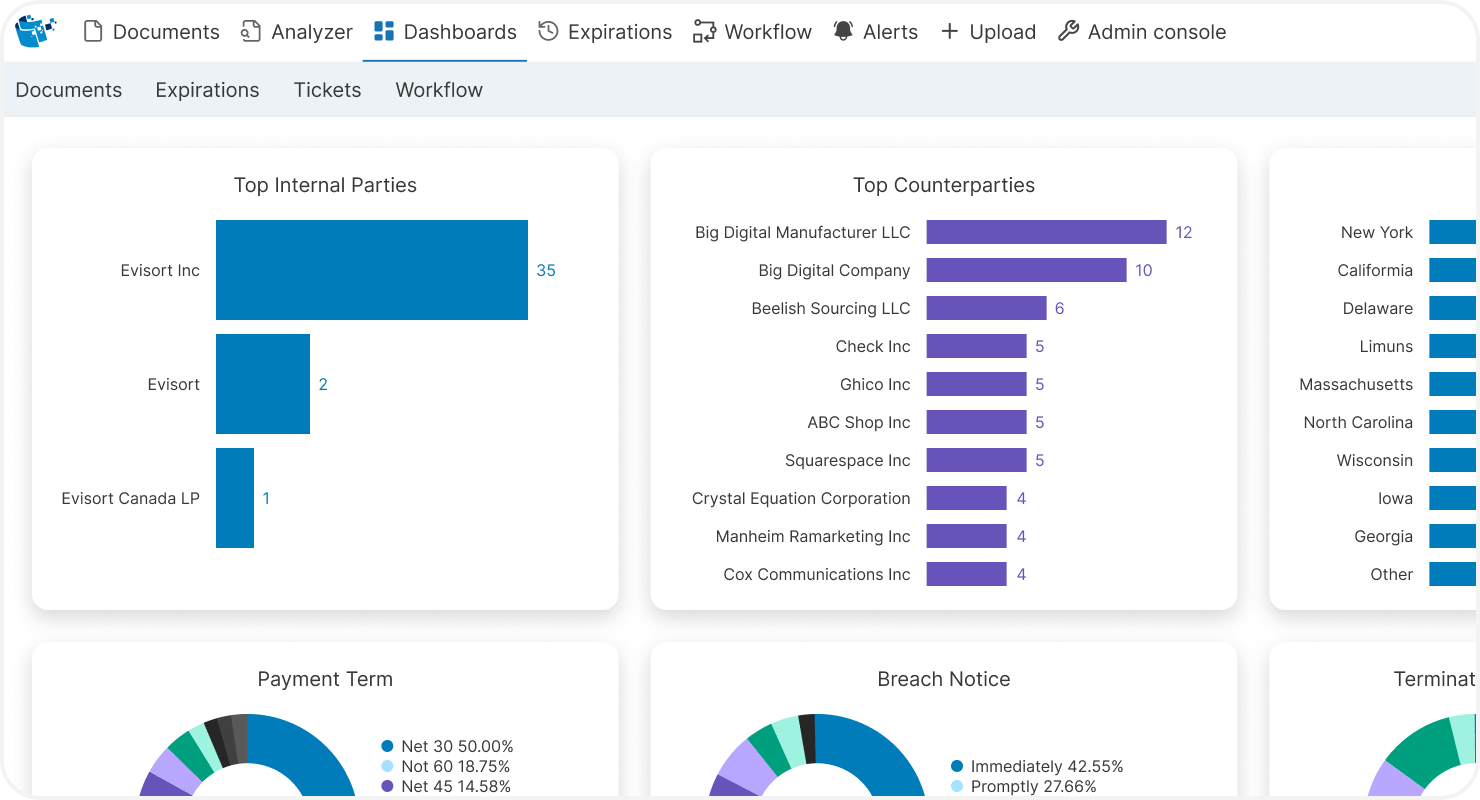
In-house legal teams that want AI extraction and analytics across a large legacy contract estate.
About Evisort
Evisort is positioned as an AI layer for in-house legal—contract intelligence rather than contract operations. Its AI is trained on a large contract dataset to extract metadata such as pricing, payment terms and renewals, and the platform is ISO 27001 and 27701 certified. It is a strong fit when the job is making sense of contracts you already have, rather than running intake, approval and signature across the whole lifecycle.
Key features
- AI-powered contract data extraction across legacy contracts.
- Secure repository with controlled access.
- Configurable approval workflow and renewal tracking.
Pros
- Strong AI extraction across large estates.
- ISO 27001 and 27701 certified; integrates with Salesforce and Microsoft Office.
Cons
- Pricing can be restrictive for smaller budgets.
- Initial setup needs training to realize the AI’s value.
Pricing
No public prices—sold by quote (Workday Contract Intelligence).
5. SpotDraft
Best for
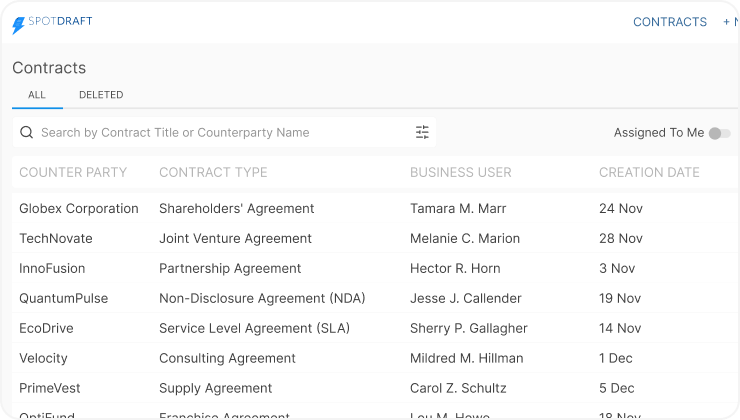
Scaling legal teams that want configurable workflows, analytics and contract families—in a tool built and staffed for enterprise.
About SpotDraft
SpotDraft is the closest competitor on paper for lower mid-market teams, offering configurable workflows and simple day-to-day use. It markets a 7-day demo-to-delivery speed, though reviews put realistic deployment nearer 3-4 weeks, with implementation included and a dedicated success manager. More on costs in our SpotDraft pricing breakdown.
Key features
- Template library and e-signature.
- Approval workflow and automated alerts for renewals and deadlines.
- Integrations with Salesforce and Slack.
Pros
- Flexible payment options.
- Responsive support, accessible on Slack.
Cons
- Built and staffed for enterprise; ask who your customer success manager would be and how many accounts that person carries.
- Contract navigation across the lifecycle can need extra support, slowing turnaround.
Pricing
Publishes no prices—sold by quote. 4.8 stars on Capterra (as of Oct 2026, 26 reviews).
6. Juro
Best for
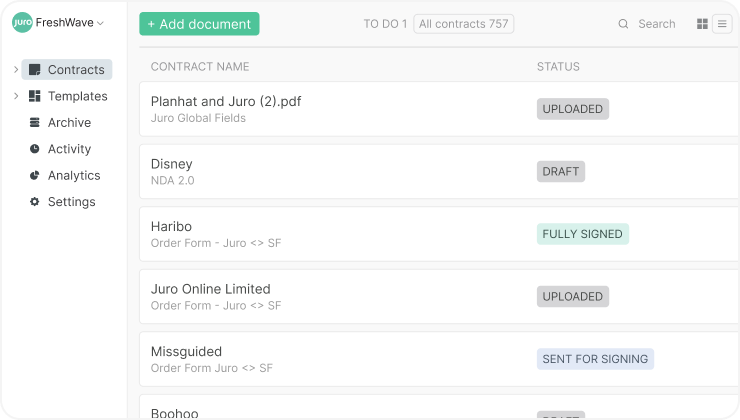
Small teams on standard paper that want a browser-native editor to start with.
About Juro
Juro is a sensible starting point—a browser-native editor serving over 6,000 organizations that pulls creation, editing, collaboration and e-signing together. For a team that is scaling, though, redlining pushes you back out to Word, and post-signature contract families stay thin.
Key features
- No-code approval workflow for collaborative approvals.
- AI redlining and summarizing to cut review time.
- Integrations with CRM and HR systems.
- Automated tracking of milestones and renewals.
Pros
- Quick setup, reported around 4 weeks.
- Effective pre-signature automation.
Cons
- Reminder settings are not fully customizable.
- Natural-language processing and smart-field tags need work to handle unstructured documents imported from Google Docs or Word.
Pricing
Sold by quote with no published prices. 4.8 stars on Capterra (as of Oct 2026, 47 reviews).
Best for a two-person legal team that inherited a shared-drive mess
A two-person legal team that inherited a shared-drive mess needs a whole-lifecycle CLM that goes live in weeks without a systems integrator. Most comparison lists are built for teams that already have a CLM and an implementation budget. The reader we see most often has neither: a newly hired lawyer or ops lead who opened a shared drive, found hundreds of contracts in folders nobody maintains, and now owns all of it alone.
That person does not need an enterprise platform with a six-month runway, and they do not need a pre-signature-only tool that stops at signature. They need the whole lifecycle in one product—pull the existing contracts into a repository, see what renews and what each obligation is, put the routine paper on templates the business self-serves, and route approvals through a workflow they can draw themselves—without hiring a systems integrator to make any of it happen.
This is the gap HyperStart is built for. It gives a lean legal or ops team the entire contract lifecycle in one product—no implementation partner, no configuration project, no quarters-long runway. You buy direct, go live in weeks, and watch the AI prove itself on your actual contracts, with us alongside the team well past launch.
Each option above is built for a different slot. Ironclad and SpotDraft are built for enterprise; Juro and Summize lean pre-signature; Evisort reads your estate but does not run it. The case is simple: the whole lifecycle, live in weeks, run by a team of two, with AI you test on your own contracts before you trust it. Run the test—that is the honest way to decide.
How to choose the best LinkSquares alternative for your team
Choose a LinkSquares alternative by matching it to your team size and budget, your contract volume, and whether your need is pre- or post-signature:
- Team size and budget. A two-person team on a mid-market budget and an enterprise legal team with an integrator are not shopping for the same thing. If you can’t run a configuration project, rule out the tools that require one.
- Contract volume. Pricing tied to contract volume or users lets you match cost to your volume; per-module quotes mean you negotiate each piece.
- Pre- vs post-signature need. If drafting and redlining are the pain, a Word-native option fits. If you need intake through renewal and tracking in one place, you want whole-lifecycle CLM.
For the wider market view, see our guide to the best contract management software.
Run it on ten of your own contracts
The whole contract lifecycle in one product. Live in weeks, with implementation included in a custom quote and no implementation partner.
Book a Demo