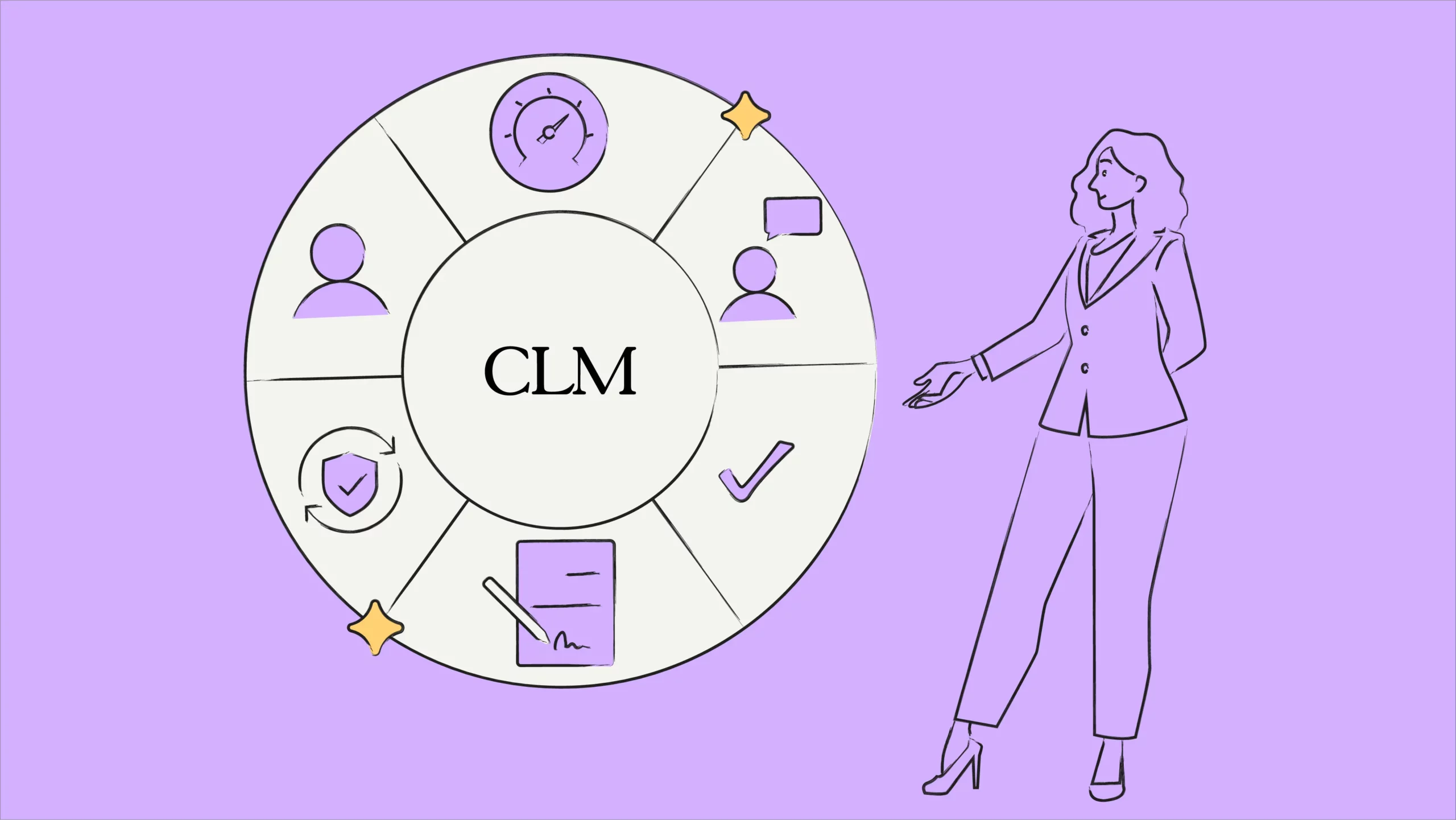
- CLM implementation is the process of deploying contract lifecycle management software across an organization, including data migration, workflow configuration, system integration, user training, and change management.
- A successful CLM implementation follows seven stages: define objectives, evaluate current processes, select the right platform, integrate with existing tools, configure workflows, train users, and measure results against baseline metrics.
CLM implementation is the process of deploying contract lifecycle management software to replace manual contract workflows with automated, centralized systems. It covers everything from initial planning and data migration to user training and post-launch optimization.
Most CLM implementations take between two and four months, though platforms built for rapid deployment can go live in as little as four weeks. The difference between success and failure typically comes down to three factors: executive sponsorship, cross-functional team involvement, and a phased rollout strategy.
Organizations increasingly adopt contract lifecycle management software to tackle these issues. A structured CLM implementation ensures the platform delivers measurable results instead of becoming another underused tool.
This CLM implementation guide covers the full process, from defining objectives and selecting a platform to training users and measuring ROI.
So let’s understand the definition of CLM implementation.
What is CLM implementation?
CLM implementation is the process of deploying contract lifecycle management software across an organization to automate contract creation, negotiation, execution, and renewal. The process typically involves five phases: requirements gathering, platform selection, data migration, workflow configuration, and user training.
CLM implementation involves setting up and using software to manage your organization’s contracts throughout its lifecycle. While the software is a key part, successful implementation also involves optimizing your current contract processes and getting buy-in from all the relevant teams (legal, procurement, sales, etc.). A CLM project typically involves legal, procurement, IT, and sales teams working together to define requirements, select a platform, and roll out the system in phases.
It can bring many benefits. A well-implemented CLM solution can lead to faster turnaround times, improved collaboration, better risk management, and even cost savings.
What are the steps for a successful CLM implementation?
A successful CLM implementation follows seven steps: define clear objectives, evaluate current contract processes, select the right platform, integrate with existing tools (CRM, ERP, e-signature), configure approval workflows and templates, train all user groups, and establish metrics for ongoing measurement. Most implementations that follow a phased approach achieve 70 to 80% user adoption within the first 60 days.
Here is a step-by-step guide that will help you to implement CLM smoothly, along with various use cases to illustrate its effectiveness:
Step 1: Define goals and objectives
Start by evaluating your current contract management process. What challenges are you facing? Is it slow approval times, inconsistent contract formats, or difficulty tracking critical documents? Identifying these pain points helps you target specific functionalities a CLM system offers and ensures a successful CLM implementation.
Once you understand your pain points, translate them into measurable goals.
For example, you could aim to reduce contract approval times by 50% or eliminate manual data entry errors by 90%. These goals provide a benchmark to track the success of your CLM implementation.
Step 2: Choose the right CLM solution
Research different CLM solutions. Focus on features that are most relevant to your needs. For example, if legal compliance is a top priority, prioritize robust compliance features and audit trails that align with your contract lifecycle management requirements.
During the CLM selection process, your implementation team should consider seamless integration with your existing enterprise applications (CRM, ERP, accounting). Look for a solution with open APIs or pre-built connectors for your software stack. This ensures data flows smoothly and eliminates the need for manual data entry.
A user-friendly interface is crucial for user adoption. Consider your team’s technical expertise and prioritize a system that’s intuitive and easy to navigate for everyone using it.
Think about your organization’s future growth. Choose a CLM that can scale effectively to accommodate increasing contract volumes and evolving needs.
Let’s say a company prioritizes fast implementation and automated workflows. HyperStart CLM, with its rapid repository setup (2-7 days) and automation features, might be a good fit.
Step 3. Involve key stakeholders
By involving representatives from legal, sales, procurement, and other relevant departments, you gain valuable insights into their specific needs and challenges.
The legal team might emphasize compliance features while sales might prioritize ease of use and speed of contract creation. Considering these diverse perspectives ensures the chosen CLM caters to everyone’s needs.
Example: Conducting workshops to showcase how the CLM system simplifies contract approvals for the legal team and speeds up deal cycles for sales can garner support from both departments.
Step 4: Integrate with your tech stack
Integrations break down data silos, allowing you to see all contract-related information in one place. List the specific systems you need to integrate with. This could include your CRM, email platform, eSignature tool, cloud storage solution, and other relevant systems.
By automating data transfer between systems, integrations minimize manual data entry and reduce the risk of errors. This streamlines workflows and saves time. Tools like HyperStart CLM offer integrations with leading CRMs, business apps, and signature tools, enabling seamless data migration.
Don’t settle for a mediocre CLM experience
Implement HyperStart CLM and experience a faster, smarter way to manage your agreements.
Step 5: Customize and configure
The system can learn your routine. How you write contracts, who checks them, and how they get the green light. This keeps things clear for everyone on the team. For example, you can define different approval stages and designate roles for stakeholders involved in the contract lifecycle, ensuring clarity and accountability.
Contract templates and workflows are like having cheat sheets. They make things faster and more accurate. Templates are pre-written contracts for which you can fill in the blanks. Think of them as starting points that already have all the legal things and company policies.
Contract workflows are like automatic pilots. They move them through the approval process without any hiccups, from that first draft to the final signed copy. This saves a ton of time and keeps things from getting stuck.
Step 6: Train the CLM users
Introducing a new CLM system is only beneficial if users understand how to utilize its features to optimize contracting processes. Proper training ensures everyone from legal teams handling contract creation and review to sales representatives managing customer agreements can proficiently navigate and leverage the CLM software.
When using the CLM system, recognize that different user groups within your organization will have varied needs and responsibilities. For instance, legal team training focuses on contract drafting, negotiation best practices, compliance requirements, and how to use the CLM system to streamline these processes.
Sales representatives’ training emphasizes contract management from a sales perspective, including accessing contract terms, tracking contract status, and utilizing CLM tools to enhance customer interactions.
Step 7: Measure the difference
Monitoring the performance of the CLM system allows you to assess its effectiveness in meeting organizational goals. Tracking key metrics such as contract approval times, compliance rates, and user satisfaction helps identify areas for improvement.
Regular optimization involves adjusting workflows, updating templates, or integrating new features to enhance system efficiency and user experience. CLM implementation and optimization are not separate phases. Continuous optimization, including workflow refinements, template updates, and user feedback cycles, should begin within the first 30 days after go-live.
With HyperStart CLM, you can utilize its tracking features to monitor contract renewals and ensure timely actions. This capability helps meet contractual obligations and supports continuous improvement initiatives by identifying bottlenecks or areas where processes can be streamlined further.
Why is CLM implementation important?
CLM implementation is important because poor contract management costs organizations an average of 9.2% of their annual revenue, according to World Commerce & Contracting research. Implementing a CLM platform addresses this by centralizing contracts in a searchable repository, automating approval workflows, and providing AI-powered risk detection. Organizations with mature CLM processes report contract cycle time reductions of up to 80%.
Here’s a summary of the key benefits of implementing CLM solution, focusing on the impact across different areas of an organization:
1. Enhanced efficiency through automation
In traditional contract management, you email drafts back and forth, print for signatures, and chase people down for approvals. CLM replaces these time-consuming tasks with automation.
During the implementation process, pre-set workflows ensure that contracts are automatically routed to the right people. Secure electronic signatures further expedite the process, allowing approvals from anywhere at any time. With automated reminders for renewals, expirations, and next steps, you’ll never miss a deadline again.
2. Gaining holistic visibility with a centralized repository
Traditionally, contracts might be scattered across various locations, making them difficult to find and manage. CLM creates a central hub for all your contracts, like a digital filing cabinet in the cloud, only powered by AI. With smart filters and categorization, authorized users can easily access any contract whenever they need it.
And forget flipping through pages of legalese. Powerful search functions mean you can find specific information with natural language in seconds. This central hub keeps everyone on the same page, fostering security and accessibility.
3. Proactive risk mitigation through AI
Contractual language can be complex, and hidden risks can lead to unforeseen problems. CLM is like your own risk-busting detective. Many CLM systems use artificial intelligence to analyze contracts and flag potential issues. Unclear language? Missing clauses? Unfavorable terms? CLM will spot them before they become problems.
A World Commerce & Contracting report highlights the role of AI in mitigating contractual risks—made possible through defined workflows and disciplines. AI incorporates models like the RACI (Responsible, Accountable, Consulted, Informed) technique for contract risk minimization.
Compliance checks ensure your contracts follow all the rules inside and outside your company. Plus, you can build a library of pre-approved clauses that address common risks. This keeps things consistent and reduces errors.
4. Reducing contract costs through better visibility
By automating tasks and streamlining processes, CLM frees up your employees’ time, which means less money spent on administrative work. This cost-saving aspect is crucial when considering contract management software pricing. You can negotiate stronger deals that benefit your business with better contract visibility. Forrester research found that well-executed CLM implementations deliver up to a total $310,000 over three years, driven by reduced cycle times, lower compliance risk, and fewer manual errors. Microsoft’s Enterprise Volume Licensing department, for example, reduced contract administration costs by 50% after implementing a structured CLM platform.
And by minimizing errors, you avoid costly rework and legal disputes. All these things add up to significant savings in the long run.
Is your contracting process slower than a dial-up connection?
Discover how to create, negotiate, and sign contracts 5x faster with HyperStart CLM.
What are the most common CLM implementation challenges?
The four most common CLM implementation challenges are low user adoption across departments, data migration from legacy systems (spreadsheets, shared drives, email), lack of executive sponsorship, and underestimating the change management effort required. Gartner reports that 50% of first-time CLM implementations fail to deliver expected benefits, and the primary cause is insufficient organizational readiness rather than technology limitations.
| Challenge | Root cause | Impact | Solution |
|---|---|---|---|
| Low user adoption | Insufficient training, poor UX | CLM becomes shelfware | Phased rollout, role-specific training |
| Data migration failures | Unstructured legacy data | Incomplete contract repository | Audit and clean data before migration |
| Lack of executive sponsorship | CLM seen as “legal’s project” | No cross-functional buy-in | Tie CLM to revenue and compliance KPIs |
| Scope creep | Trying to automate everything at once | Delayed go-live, budget overruns | Start with one use case (e.g., NDAs) |
Up to 70% of organizational change initiatives fail due to poor focus on people and processes rather than technology. CLM implementations are no exception. Without dedicated training programs, stakeholder communication plans, and executive champions, even the best CLM platform will see low adoption and limited ROI.
What are the best practices for CLM implementation?
The most effective CLM implementation best practices include starting with a pilot department before full rollout, mapping existing workflows before configuring the system, setting measurable KPIs from day one, and assigning a dedicated CLM project owner. Organizations that follow a phased implementation approach achieve 60 to 70% adoption rates within 90 days, compared to 30 to 40% for big-bang deployments.
- Start with a pilot department before full rollout
- Map existing workflows before configuring the system
- Set measurable KPIs from day one
- Assign a dedicated CLM project owner
How long does CLM implementation take?
CLM implementation timelines range from one week to twelve months depending on organizational complexity. Rapid deployment platforms can go live in one to four weeks. Standard enterprise implementations take two to four months. Complex multi-department rollouts with custom integrations typically require six to twelve months. According to a 2024 Juro survey, the most common timeframe for CLM implementation falls between two and four months.
| mplementation type | Timeline | Best for | Typical adoption rate | Success rate |
|---|---|---|---|---|
| Rapid deployment | 1 to 4 weeks | SMBs, single-department pilots | 85 to 90% within 30 days | 75 to 80% |
| Standard enterprise | 2 to 4 months | Mid-market, multi-department | 60 to 70% within 90 days | 60 to 70% |
| Complex enterprise | 6 to 12+ months | Large enterprises, global rollouts | 30 to 40% within 120 days | 40 to 50% |
Implementation speed directly impacts adoption success. Platforms that go live within four weeks achieve 85 to 90% user adoption within 30 days. Implementations that stretch beyond six months see adoption drop to 30 to 40% within the same period, according to CLM deployment benchmarks compiled by Concord.
How do you measure CLM implementation success?
CLM implementation success is measured through five key metrics: contract cycle time (time from request to execution), user adoption rate (percentage of contracts processed through the CLM platform), compliance rate (percentage of contracts using approved templates and clauses), cost savings (reduction in administrative hours and error-related rework), and contract renewal rate (percentage of renewals completed before expiration). Baseline measurements should be taken before the CLM goes live.
How does HyperStart simplify CLM implementation?
HyperStart simplifies CLM implementation by offering a 4-week deployment timeline with guided onboarding, pre-built workflow templates, and native integrations with Salesforce, HubSpot, Gmail, Google Drive, DocuSign, and Adobe Sign. The platform achieves 94% accuracy in automated contract data extraction and metadata tagging, reducing the manual effort typically required during data migration. HyperStart also provides a custom proof-of-concept before purchase so organizations can validate the platform against their specific contract workflows.
HyperStart CLM handles the entire contract lifecycle. Whether it’s creating a new contract, negotiating terms, getting signatures, or tracking renewals, it’s all there. No more switching through different tools – everything you need is in a single centralized platform.
Organizations can implement HyperStart CLM within 2-7 days, minimizing downtime and allowing for rapid deployment. The platform ensures 99% accuracy in automating contract retrieval, redlining, and metadata extraction, reducing manual effort and errors.
Also, accelerate contract review and execution times by up to 5x thanks to streamlined workflows and automated processes facilitated by this AI-powered contract lifecycle management platform.
Centralized repository capabilities enable easy organization and storage of contracts from multiple sources, with bulk import options available for platforms like Gmail, Google Drive, and Salesforce.
Support for multiple signing methods (e.g., hand-drawn signatures or OTP-based and e-Sign integrations with DocuSign and Adobe Sign) provides flexibility and convenience in contract signing processes.