


Finding the best contract tracking platform usually starts with a search for tools that flag upcoming renewals, track obligations, and organize metadata. You will need searchable data. If your business relies on messy spreadsheets, you probably don’t want to lose money when deadlines slip or clauses stay hidden in old files.
This guide compares top contract tracking tools for sales, legal, and procurement teams. To avoid mistakes, test vendor accuracy and check adoption rates before you buy anything.
Key takeaways
Consider the factors before comparing vendors.
- Contract tracking software helps you find renewal dates quickly so you don’t have to search through your outdated spreadsheets.
- Because one platform rarely fits every business, the right choice depends on whether you prefer legal oversight or your sales integrations.
- Do the tools sync with your apps? You should prioritize searchable storage, automated data capture, and reliable renewal notifications for every single agreement you manage.
- To prove the investment is worth it, track how employees use the system and keep daily operations safe during the transition.
Best contract tracking software for 2026
Contract tracking tools usually fall into a few clear buckets depending on their main strengths. Some focus on the math and analytics after you sign a deal, while others make the drafting or sales process easier. Finding the right fit means looking at how your staff works every single day.
What should you look for? Most buyers check data accuracy, deadline tracking, and how well a tool talks to other apps. When you test a system, make sure the renewal alerts actually fire and the software doesn’t choke on your specific file types. You need a vendor that lets you customize data fields and proves their tech can read a physical contract without making mistakes.
Your specific role usually dictates what features you need. If you work in legal or procurement, you probably want heavy oversight to track every tiny obligation. Sales teams, however, usually want a tool that sits right inside their CRM so they can close deals faster. For a small business, a simple way to search files and get an email before a contract expires might be enough.
| Vendor | Vendor fit | Core tracking capabilities | AI extraction | Best for profile |
| HyperStart | Legal and finance teams juggling a high volume of active contracts | Centralized repository with automated renewal reminders and approval workflows | AI reads contracts on upload and auto-extracts key terms like payment dates, liability, and SLAs | Teams that want obligations and renewal dates tracked automatically without manual entry |
| Ironclad | Mid-sized or large legal teams with complex workflows | Complete lifecycle management with visual builders and automated approval paths | Uses AI to pull data from clauses and stays updated with new features | Legal teams that need to collaborate across the entire company |
| LinkSquares | Teams that prioritize data and existing agreements | Fast file uploads and deep search tools coupled with renewal dashboards | Reliable tools for pulling data from large piles of signed agreements | Lawyers who spend their time auditing old agreements and portfolios |
| Sirion | Big corporations that manage numerous vendors | Monitors obligations while tracking vendor performance via automatic alerts | Uses AI agents to answer questions and monitor vendor behavior | Large firms with complex service deals and performance targets |
| PandaDoc | Small companies and sales departments | Document templates and e-signatures featuring basic renewal tracking | Simple data extraction that focuses mostly on getting documents ready | Sales agents who must send templates and collect signatures quickly |
| ContractSafe | Small teams looking for simple digital storage | Searchable OCR storage that sends reminders for every deadline | Simple tools for identifying dates and the names of parties | Teams seeking a low-cost way to stay organized and hit renewal dates |
| DocuSign | Groups that prioritize secure electronic signatures | Reliable e-signatures with simple tools for archiving documents | AI pulls data but the tool focuses less on the whole lifecycle | Users who prioritize signing security but may grow later |
| Icertis | Global firms with tight compliance requirements | Advanced governance and workflows designed for detailed risk analysis | Enterprise-level AI that scores risks and pulls data from many regions | Global enterprises handling thousands of deals in various regions |
HyperStart
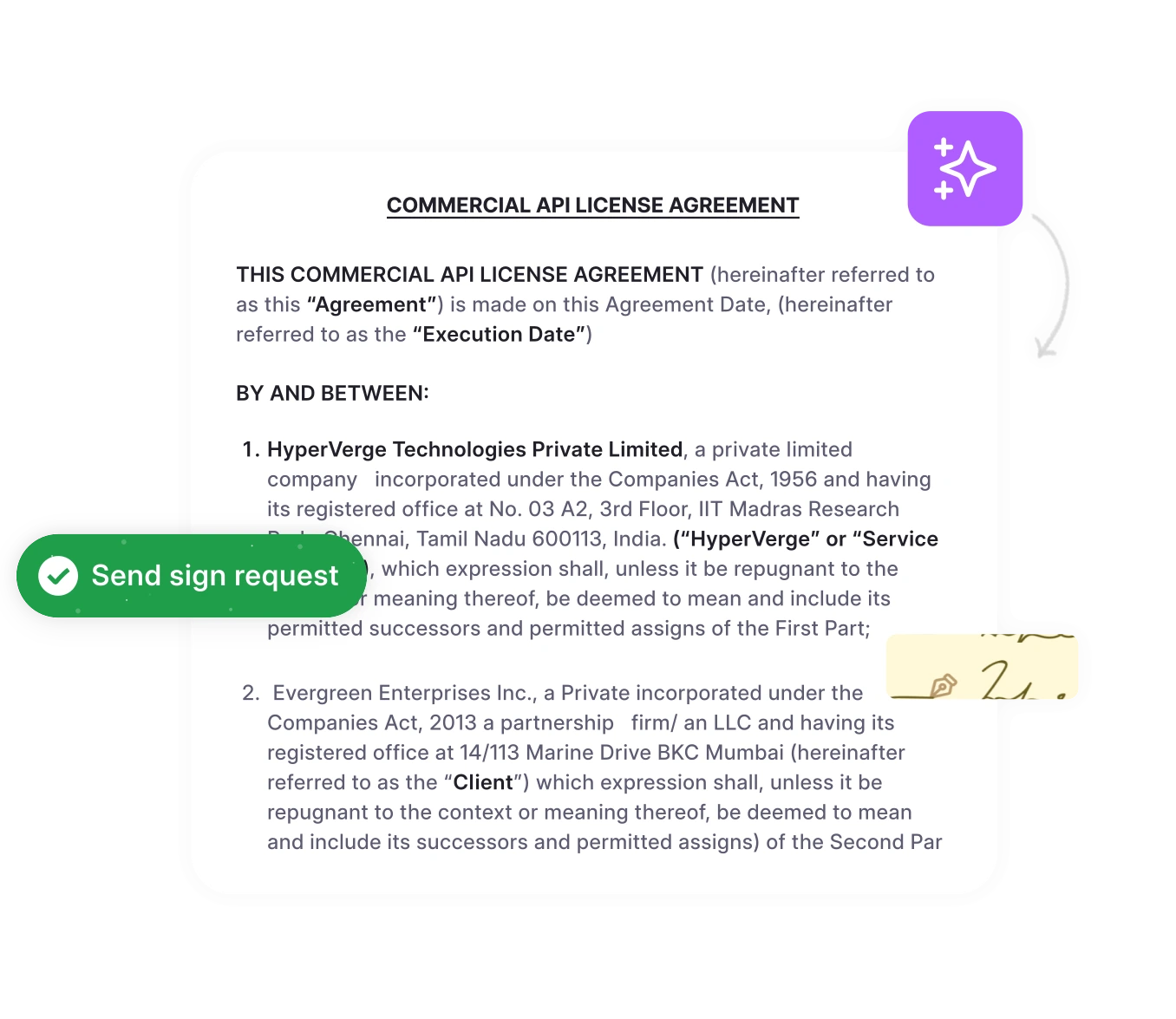
HyperStart is built for teams that would rather have obligations tracked automatically than dig through old PDFs every renewal season. Once a contract is uploaded, the AI reads through it and pulls out the details that actually matter, like payment terms, liability caps, and key dates, then surfaces them on a dashboard instead of leaving them buried in the document.
The automated reminders catch renewals and deadlines before they slip past anyone’s radar.
Legal, finance, and procurement teams working off the same contract data tend to see the biggest drop in missed obligations.
Ironclad
Legal and commercial teams often turn to Ironclad when they need to collaborate on every draft. The software provides a visual builder for your workflows and includes tools for redlining and approvals so you can move through the process without getting stuck or losing data.
- You can often speed up negotiations by using live redlining and the provided CRM integrations.
- Since the system targets larger companies, you should plan for a setup period before the tool starts paying for itself.
LinkSquares
LinkSquares helps in-house legal teams make sense of the contracts they have already signed. It turns your old agreements into a searchable database and builds the kind of data dashboards that legal professionals find useful during a busy week at the office.
- The software lets you handle massive file stacks with post-deal analytics that actually work.
- Lawyers who handle frequent audits or massive portfolios will find the design fits their specific workflow.
Sirion
Sirion targets big corporations that need to watch vendor performance and track every single promise made in a deal. This software detects when a specific commitment slips and alerts you well before it turns into a real headache. A procurement lead might link a specific clause to a vendor scorecard, for instance. If a vendor misses a service level, the system triggers an internal fix automatically to resolve the gap.
PandaDoc
PandaDoc makes it easy to create documents and get them signed through a simple interface. It’s a popular choice for sales teams at smaller companies that need to get templates out the door quickly to meet their targets.
- You could shorten your sales cycles by taking advantage of the built-in signing tools and ready-to-go templates.
- Small teams rarely struggle to learn the interface because the layout stays simple.
ContractSafe
ContractSafe works like a digital filing cabinet that is very easy to search. The developers price this tool specifically for smaller groups that want a reliable home for their documents without the steep price tag of a massive enterprise system. It is a great choice for teams that don’t need complicated features.
- It serves as a low-cost, straightforward storage space that sends reliable alerts for upcoming renewals.
DocuSign
DocuSign remains the most recognizable name for signing documents securely. While the company started with signatures, it now offers modules that help you track and archive your contracts once they are finished. Many users find the interface very familiar and easy to navigate during their workday.
- If security is your top concern, this is a great starting point, though you might want a specialized tool for tracking details down the road.
Icertis
Icertis is a heavy-duty platform designed for global companies with complicated rules and contract structures. It handles risk management and policy enforcement on a massive scale. This tool is specifically built to handle the most demanding corporate environments where compliance is the top priority.
- The deep focus on global rules and governance helps justify the cost if you manage a massive portfolio.
- Expect a higher price tag and a longer implementation period due to the scale of the system.
Which features make contract tracking effective?
Hunting through paper piles or messy digital folders wastes hours. Real efficiency happens when tools let you find, manage, and report on every deal you sign. It is about control.
A contract tracking solution should pull metadata, identify obligations, and trigger renewal warnings. It basically turns dense text into a list of facts. By assigning specific dates to staff members, you ensure clear accountability. Nobody wants to lose money because a vendor contract renewed in secret. That mistake costs businesses thousands every year.
If the system links to a CRM or ERP, data flows across the entire organization. Software connections are a big deal. You don’t need manual entry if the different tech platforms work together.
Imagine a procurement lead managing 3,000 old supplier deals. Software pulls dates and penalties into a table. The system then pings the right staff about notice periods. Monitoring vendor performance becomes possible too. For teams with heavy workloads, this automation changes how they handle daily tasks.
To keep things organized, sales teams require template control. Finance teams check invoices against extracted discount terms without extra trouble. Managers get alerts to start talks before things expire. This helps them stay ahead. These alerts support a strong strategy.
When new systems suggest data fields, people simply check the work. This path cuts errors. Validation is faster when software handles the bulk of the labor. It doesn’t take long to finish.
How to evaluate contract tracking platforms
Success for your team needs a clear definition from the very first day. Instead of just reading through long lists of features, you should run tests that actually mimic your daily routine. This is the only way to verify if the extraction logic works in your specific environment. Small samples often tell the truest story.
Security and compliance
Security comes first. You will want to find out how the platform handles encryption and where the physical servers are located.
- Encryption should apply to data both in transit and at rest, so check policies carefully.
- Multifactor authentication is a requirement, along with specific user roles.
- Confirming that audit trails cannot be changed is smart, as is checking retention settings.
Integrations and APIs
Wasted time is inevitable when a CLM fails to sync with your current tools.
- CRM workflows can trigger a new contract automatically once a deal reaches a stage.
- ERP connections allow financial data to flow into your invoicing system without manual entry.
AI and extraction accuracy
How effectively does the AI extract data? Standard fields are typically accurate, but you need to decide on an error margin for complex clauses. It is a matter of risk.
- Testing involves comparing a batch of documents against a manual human review.
- To measure recall, you might track how many party names are found in 100 agreements.
User experience and adoption
If the interface feels clunky, adoption will probably fail. During your trial, pay attention to how often the team logs in. If it’s difficult to use, people will just go back to spreadsheets.
- It helps to track the minutes a new user needs to finish their first contract.
- Plugins let team members stay inside the applications they already prefer.
- Dashboards keep important tasks visible so users do not lose track of work.
Pricing and total cost
A sticker price rarely reflects the real cost. You have to account for setup time and support needs. Total costs are typically tied to user count and document volume.
- Licensing, data migration, and the setup phase will likely make up your first expenses.
- Recurring bills generally consist of support packages and fees for high document volumes.
Implementation and migration best practices
Moving to a fresh contract system changes daily workflows for the entire office. Operations stay steady when you take a phased approach. This gradual shift helps staff get used to the technology without feeling overwhelmed.
Avoid dumping every single file into the system at the start. Testing the configuration with a small batch first is much safer than risking a complete data failure.
- Selecting a specific category such as client agreements from the last three years provides a solid starting point.
- There should be a plan to revert changes if the data doesn’t align correctly during the validation phase.
Data mapping is often tedious, but the software cannot function without it. You have to decide which system holds the master record for every individual field. Does the CRM take priority, or the new tool?
- Identify the most important details like contract start dates or notice periods.
- Standardize naming conventions so every date format remains consistent across the database.
- Isolate complex items such as clauses hidden within other sections for a manual review.
A pilot program should feel like a typical day at the office. Early feedback prevents a major headache during the full rollout. Why wait for the launch day to find errors?
- Gather a variety of different contracts and ask several departments to review them.
- Verify that the system extracts data accurately and that automated alerts are actually being sent.
- Introduce the tool to one group at a time to ensure the transition is easy to manage.
Watching the metrics from day one allows for quick fixes before glitches become expensive. Small errors can spiral if they aren’t caught early.
- Determine if the total time spent finalizing a contract is actually decreasing.
- Review the error rate when the system attempts to read and interpret text.
- Analyze login data to confirm that team members are actually using the provided templates.
Review the data at the one, two, and three month marks. These check-ins provide a chance to refine the process.
Security and compliance
Security should be part of the software from the beginning. These safety features are worth asking about during sales presentations. Protecting sensitive data is non-negotiable.
- Confirm that all information is encrypted, whether it is stored on the server or moving through the internet.
- Check for single sign-on options and ensure that permissions are restricted to what employees need for their specific roles.
- Ensure the tool complies with your internal rules for file retention and legal holds.
- Ask if the platform maintains an audit trail for every single change made to a document.
Integrations and APIs
The true value of the software emerges once it connects to your existing tech stack. It usually makes sense to focus on CRM and ERP integrations first. This keeps data flowing between departments and ensures everyone stays on the same page.
- Sync deal status with the CRM so account managers stay informed about upcoming renewals.
- Transfer payment details into the ERP system to help the accounting team stay organized.
AI and extraction accuracy
Avoid taking marketing promises about AI at face value. You must prove accuracy with actual data. Testing is the only way to be sure.
- Run 100 sample files through the software to see how often it identifies dates correctly.
- Establish an acceptable error rate before the project is considered finished.
User experience and adoption
If the team finds the software frustrating, they simply won’t use it. Build the workflows around the people who handle these documents daily. Their buy-in is the difference between success and failure.
- Encourage every user to upload at least one contract during their initial week of training.
- Track how often people use built-in templates to see if they are actually saving any time.
- Use editors that feel familiar so people don’t feel lost when they start working.
Pricing and total cost
Budgeting should account for immediate costs and the ones that might appear next year.
- Initial expenses typically cover the setup phase and the migration of legacy files.
- Recurring costs include the monthly per-user fee and any charges for technical support.
Common mistakes to avoid
Selecting a system just for shiny features is a common mistake. If the tool does not align with your workflow, you see zero return. People don’t change habits quickly. Because of this, expect the transition to take quite a bit of time.
Problems usually start when you ignore app integrations. Manual entry becomes a chore if the software cannot talk to your CRM. Run a pilot program. Verify that the vendor handles data as promised before you pay.
Corrective checklist
- Test the platform using your own files before you sign the contract.
- Every connection needs to work during the trial.
- Establish practical goals for team learning and use metrics to track them.
- Security and IT teams should join the conversation early.
Which tool fits your team?
Choose a vendor style that fits the way your team works. Doing so reduces risk and ensures software trials aren’t a waste of time. Use a matrix to align your specific needs with market options. When that’s done, pay attention to how a platform extracts data from files.
Team matrix and recommendations
- Large legal departments usually prioritize governance and high-level data reporting over simple storage.
- Sales teams often value automated templates that integrate with their CRM to keep deals moving quickly.
- A simple way to find files and monitor expiration dates is enough for most startups.
- If tracking supplier obligations is the goal, seek out systems that link to payment data.
Legal operations and enterprise teams
Large departments need oversight and clear data. The goal is tracking what you owe and what you are owed.
- Find enterprise software that allows for deep customization and strict rules.
- Following company policy becomes easier when these systems generate reports for the next audit.
Sales and revenue teams
For sales, speed is the priority. It keeps the momentum going. Deals often die in the waiting room of a slow legal review.
- Focus on platforms providing pre-approved templates that sync with your customer database.
- You’ll save hours of manual work on every individual contract by doing this.
SMBs and startups
Startups need tools that work right away. They don’t have time for long setups or hidden fees.
- A central storage spot with simple alerts for upcoming deadlines is a great starting point.
- If you have a small staff and a tight budget, basic platforms usually work best.
Procurement and vendor management
Monitoring vendor performance is important. Extra costs are hard to avoid if there’s no visibility into what is happening.
- Try connecting your contract tracking to vendor performance cards.
- Missed deadlines are less likely with this approach, and it keeps internal work cleaner.
Conclusion
Finding the best contract tracking software depends more on how a platform fits your workflow than on a long list of features. Focus on your primary needs first. A pilot program can verify if the tool extracts data accurately and connects with your existing systems.
Check adoption rates early.
By assigning your team to a specific user archetype, you can set clear goals for alerts. Renewals then become predictable. You can finally drop messy spreadsheets and guesswork to avoid compliance risks by making obligations visible.