


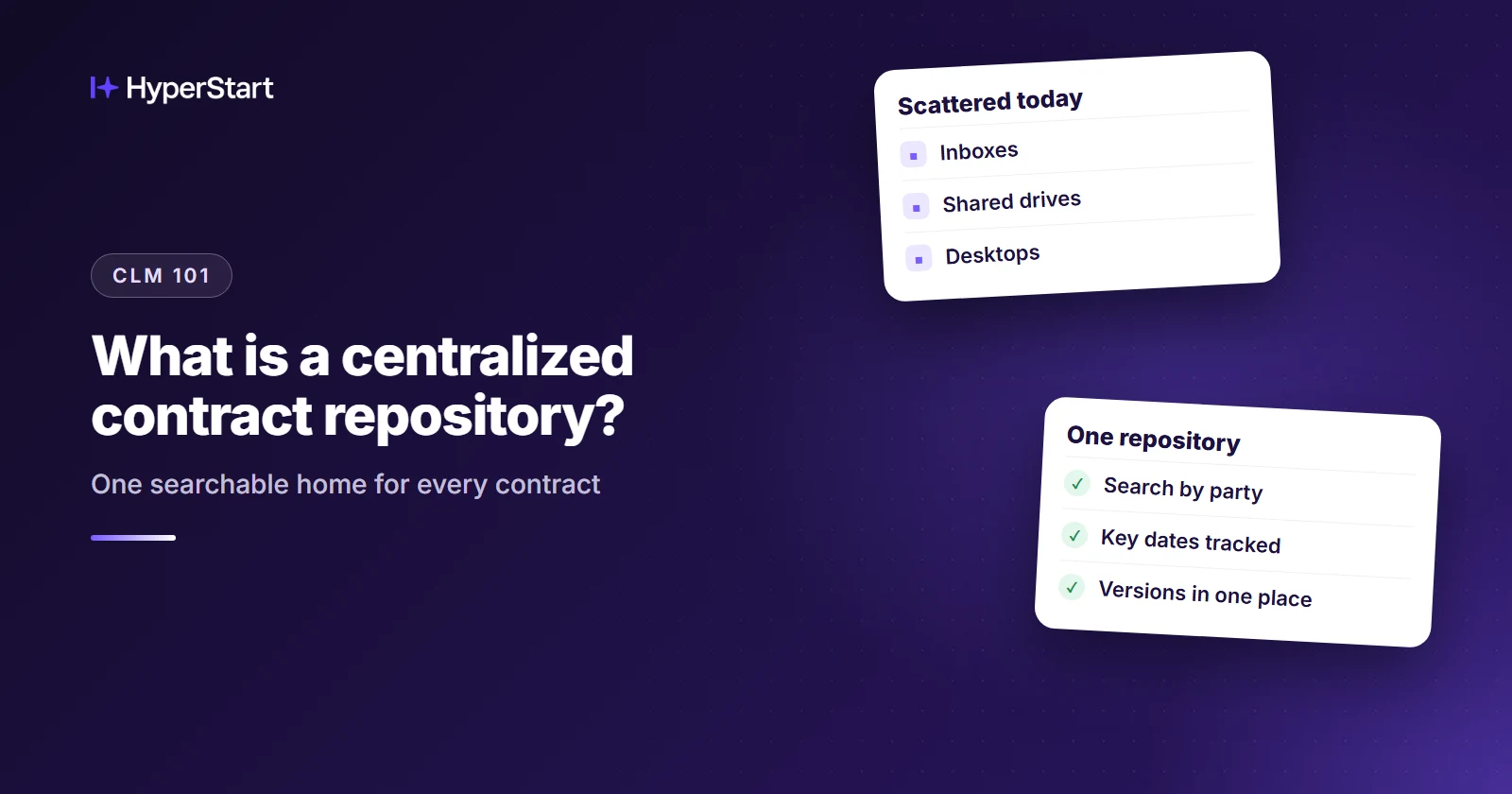
A centralized contract repository in contract lifecycle management (CLM) is a single, secure, cloud-based digital hub where an organization stores, organizes, and manages all of its contracts, amendments, and related documents as a single source of truth.
It lets legal and operations teams find contracts through full-text and clause-level search, keeps version control and an audit trail, and sends automated alerts before renewals and expirations.
Without one, contracts sit in email threads, local folders, and a shared drive. Google Drive, Dropbox, and OneDrive hold those files, but they don’t read what’s inside them as contract data, such as the renewal date, the counterparty, or which amendment changed what.
- A centralized contract repository is a single, secure, digital hub that holds all of an organization’s contracts and amendments as one source of truth.
- It turns stored files into contract data through full-text and clause-level search, metadata, version control, role-based access, and automated renewal alerts.
- A standalone repository covers signed contracts, while a repository inside CLM also covers templates, approvals, and redlining before signature.
- When you move off a shared drive, capture renewal and notice dates first and migrate the soon-to-renew agreements before anything else.
- HyperStart is CLM with the repository built in, and contract migration is included in its custom quote.
What does a centralized contract repository do?
A centralized contract repository turns stored files into contract data a team can search, filter, and act on.
It holds the current version of each agreement, answers questions about what those agreements say, and warns the right owner before a date passes. Expect the capabilities below from any product you evaluate. HyperStart’s contract repository guide goes deeper on each one.
- Single source of truth: Every contract and amendment has one home and one current version, so nobody has to ask which copy counts.
- Full-text and clause-level search: Anyone with access can search the words inside every agreement or look for a specific clause, and OCR makes scanned PDFs searchable too.
- Metadata and tagging: Each contract carries structured fields you can filter and report on, such as counterparty, effective date, renewal date, value, and owner.
- Automated renewal alerts: The contract owner gets a reminder ahead of renewal dates, expirations, and auto-renewal notice windows, so nobody has to keep a calendar by hand.
- Version control and audit trail: The repository keeps the revision history and records every change, approval, and signature event.
- Role-based access: Permissions follow each person’s role, so people see the contracts their job requires. HyperStart is SOC 2 Type 2 and ISO 27001 certified, and HIPAA compliant, and its security pack supports your security review.
- E-signature integration: Signed copies come in from the tool you already own, and HyperStart’s integrations cover DocuSign, Adobe, and Zoho Sign.
- Contract families: Each amendment, statement of work (SOW), and renewal links to the agreement it changes, with key metadata rolled up across the contract family.
HyperStart is contract lifecycle management (CLM) software for mid-market legal and operations teams. It covers the whole contract lifecycle in one product and goes live in weeks, with no implementation partner. Its searchable repository, with AI search, metadata extraction, and contract families with metadata rollup, is built into the same product.
Why does a centralized contract repository matter?
A repository matters because scattered contracts fail quietly: renewals slip, people work from the wrong version, and audits turn into document hunts. Day to day, the damage shows up in three ways:
- Missed renewals: A notice window closes while the agreement sits in someone’s folder, and spend renews without anyone deciding to renew it.
- Lost versions: When the signed copy, the latest draft, and an amendment live in different places, people end up working from the wrong terms.
- Slow audits: When contracts are scattered, every audit request starts with a search for each contract it touches, across folders, inboxes, and drives.
See HyperStart CLM on your own contracts
Bring a few of your own contracts, and we’ll run them through HyperStart with you in a live demo.
Book a DemoShared drive, standalone repository, or repository inside CLM?
The right choice depends on where your contract work breaks down. A shared drive only stores files. A standalone repository adds search and governance after signature.
A repository inside CLM also covers the work before signature, so drafts, approvals, and signed paper stay in one system. Here is how the three compare for a team running contracts on a shared drive and Word templates:
| Shared drive + Word templates | Standalone repository | Repository inside CLM (HyperStart) | |
| Search inside contracts | Basic file search, no clause-level search | Full-text and clause-level search | Full-text and clause-level search |
| Renewal reminders | Manual, from a calendar or spreadsheet | Automated alerts | Automated alerts and escalations |
| Amendments linked to the agreement | Only through folder and file names | Varies by product, so ask | Contract families with metadata rollup |
| Templates and approval workflows before signature | Word files and email | Handled elsewhere | Templates, plus approval workflows you draw and change yourself |
| Redlining in Word inside the system of record | No, versions travel by email | No, negotiation happens outside it | Yes |
| Time to go live | Already live | Varies by product, so ask | Live in weeks |
If you only need storage and search for signed contracts, a standalone repository is enough, and it’s a fair place to stop.
How is a repository different from a full CLM?
A repository stores, searches, and governs signed contracts, while a full CLM also runs the work before signature.
- Repository: post-signature storage, search, and governance.
- CLM: adds intake, templates, approval workflows, redlining, and e-signature upstream.
How do you move from a shared drive and Word templates to a repository?
Find the contracts first, decide which few fields are worth capturing, and move the agreements with the nearest deadlines and highest stakes before anything else. Older paper can wait.
For a new legal or ops hire who inherited the shared drive, this order protects renewal dates during the first 30 days, before anyone has finished cleaning up the archive.
Step 1: Where do your contracts live today?
List every location: the shared drive, desktop folders, and the inboxes of whoever signs or buys things. Ask sales, procurement, finance, and HR where their copies sit. Record each location and its owner in one sheet, and don’t clean anything yet.
Step 2: Which metadata fields should you capture first?
Start with the renewal date and notice date, because they drive your alerts. Add the owner and counterparty next, so each alert reaches someone who can act on it. Effective date and value can follow, and anything beyond that can wait until someone asks for it.
If a tool promises AI extraction, run it on ten of your own contracts, scans included, and check the fields by hand.
Step 3: Which contracts should you migrate first?
Move soon-to-renew agreements first, because their clock is already running. High-value active agreements come next, followed by the remaining active paper. Expired contracts go last, and only the ones you still need.
Step 4: When should you set renewal alerts?
Turn alerts on as soon as the first batch is in, before you move the rest. The nearest dates are then covered while most of the archive still sits on the shared drive. Give every alert a named owner, or it will go to nobody in particular.
Step 5: How do you link amendments to their parent agreements?
Link each amendment, SOW, and renewal as it arrives rather than saving it for a later cleanup. File names are a hint, not proof, so read the amendment’s own reference to the agreement it changes. Then check the family’s current terms, because an amendment may have moved a renewal date the original still shows.
Where does HyperStart fit in that migration?
HyperStart fits as the repository and the CLM around it, with contract migration included in the quote. Metadata extraction and automated contract family linking carry the bulk load, teams go live in weeks, and there’s no implementation partner to manage.
Pricing is a custom quote based on users or contract volume, with implementation included: workflows, integrations, and contract migration come at no extra fees.
Your Word templates can follow the executed paper, so new contracts start in the same place the old ones now live.
Curious how your messiest folder would come through? Book a demo and bring a few of your own contracts.
Ready to see your own contracts in one repository? Book a demo, and send us a contract family with its amendments so we can build it in the demo.
Try HyperStart CLM before you decide
The whole contract lifecycle in one product, live in weeks, with implementation included in the quote and no implementation partner.
Book a Demo