


AI contract review software typically cuts the time legal teams spend reviewing a contract by 60-70% compared with manual, line-by-line lawyer review, according to instaSpace (vendor-reported).
Overall turnaround, from request to signature, falls by up to 70%, according to Applied AI Club’s guide. Most published figures are vendor-reported, savings shrink on complex negotiated agreements, and a lawyer still signs off on whatever the AI flags.
- AI contract review software saves the most time on the first read of routine contracts such as NDAs and standard orders.
- Published figures include a 60-70% cut in per-contract review time and up to 50% faster time-to-close, and most are vendor-reported.
- Savings are smallest on complex, negotiated agreements, where a lawyer’s judgment, not reading speed, is the bottleneck.
- On a shared drive, most of a contract’s days are lost to intake, waiting and approvals, which a review tool alone doesn’t fix.
- HyperStart is contract lifecycle management (CLM) software that puts AI review next to intake, approvals and tracking; run it on ten of your own contracts and count the hours yourself.
What are the key time-saving figures for legal teams?
AI contract review software saves legal teams time in two places: the minutes a lawyer spends reading a contract, and the days a contract takes to get from request to signature. Each figure below is compared with manual review and labeled by who published it.
- Per-contract review: a 60-70% reduction against manual reading, according to instaSpace (vendor-reported).
- Overall turnaround: up to 70% shorter, according to Applied AI Club’s guide.
- Time-to-close: up to 50% faster than manual review, according to Streamline AI (vendor-reported).
- Specialist agreements: a 75% reduction on clinical trial agreements at the TriHealth hospital system, reported by LegalOn (vendor-reported).
HyperStart is CLM software from HyperVerge for mid-market legal and operations teams. It covers the whole contract lifecycle in one product and goes live in weeks, with no implementation partner. Its AI extracts, reviews and redlines contracts in the same system that runs intake and approvals, which is where most of the waiting happens.
How much time does AI save per contract, by contract type?
Per contract, AI contract review software moves first-pass review for legal teams from hours of manual reading to minutes. The size of the cut depends on the contract type.
Short, standard agreements reviewed against a playbook sit at the top of the range. Long, heavily negotiated agreements sit at the bottom, because a lawyer still has to read the flagged clauses, weigh the business context and decide. The published per-contract figures are below.
| Reported comparison | Manual baseline | With AI assist | Source and type |
| NDA review comparison | 92 minutes for five NDAs (about 18 minutes each) | 22 minutes (a 76% cut) | Bloomberg Law, quoted by general.legal (vendor-reported). Judicio notes the five-NDA scope. |
| Clinical trial agreements | Manual hospital review | 75% less time | TriHealth, reported by LegalOn (vendor-reported) |
| Per-contract average | Manual reading | 60-70% less time | instaSpace (vendor-reported) |
Two patterns hold across these figures:
- Routine paper, such as NDAs, standard orders and your own template coming back with light edits: expect savings near the top of the range.
- Complex or third-party agreements with interlocking clauses: expect savings near the bottom of the range. Lawyer judgment is the bottleneck there, not reading speed.
How much faster is overall contract turnaround?
Overall turnaround, the calendar time from request to signature, falls by up to 70% according to Applied AI Club’s guide, and time-to-close falls by up to 50% according to Streamline AI (vendor-reported).
Turnaround is harder to credit to AI alone, because much of a contract’s life is spent waiting on people rather than being read.
Once you count the lawyer’s time checking the AI’s flags, the saving is smaller than vendor headlines suggest.
How does AI contract review software actually save the time?
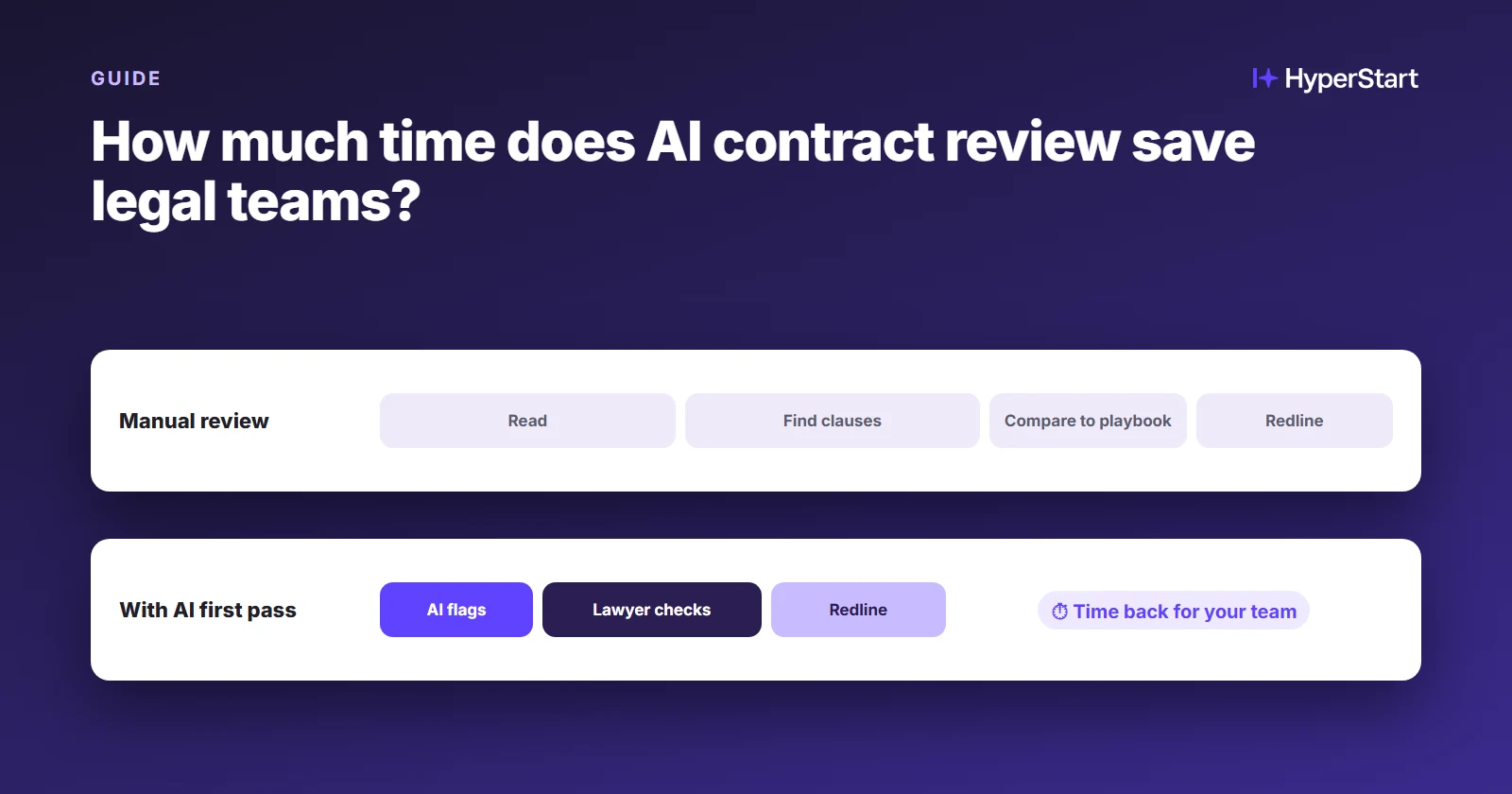
AI contract review software saves legal teams time by doing the first read. It compares each clause against your playbook, flags what departs from your standard positions, and proposes fallback language. The lawyer then reviews exceptions instead of every line. The savings come from four specific jobs:
- Playbook comparison: each clause is checked against your preferred, acceptable and walk-away positions, so standard language passes without a lawyer re-reading it.
- Risk flagging: missing, unusual or one-sided clauses are surfaced first, with the reason they were flagged.
- Suggested redlining: proposed edits arrive in the document, so the lawyer accepts, rejects or adjusts them rather than drafting from scratch.
- Template self-service: when the business starts from an approved template, there is less to review in the first place.
The step that does not shrink is the lawyer’s sign-off on what matters. That is a design choice, not a limitation.
See HyperStart CLM on your own contracts
Bring a few of your own contracts, and we’ll run them through HyperStart with you in a live demo.
Book a DemoWhere does the time actually go: reading, waiting or routing?
For legal teams running contracts on email and shared folders, most of a contract’s days go to waiting and routing, not reading, so a faster read alone does not close the gap.
Most “time saved” figures measure one of three different things without saying which. Reading time is the lawyer minutes spent on a document. Cycle time is the calendar days from request to signature.
Processing cost is the total staff hours a contract consumes. AI contract review software mainly shortens reading time.
Why a single per-contract minutes figure is misread
The often-quoted figure of 92 minutes per contract is misread: Judicio’s benchmark page says the 92 minutes covered five NDAs, which is about 18 minutes each. A lawyer reading an NDA in 18 minutes is not the problem. A team losing a week on that NDA has a routing and waiting problem.
Which stages lose the days on a shared drive and Word?
On a shared drive and Word, the days are lost in intake, the review queue, approval routing and negotiation rounds more than in the lawyer’s reading. Each stage carries a different kind of delay:
| Stage | What happens without a CLM | Does AI review shorten it? |
| Intake | Requests arrive by email or chat, missing key details | No. Structured intake does. |
| Lawyer reading | A full manual read of every clause | Yes. This is where the per-contract savings above apply. |
| Waiting in the queue | The contract sits until someone is free | Partly, because shorter reads clear the queue faster |
| Approval routing | Emails chase approvers one at a time | No. An approval workflow does. |
| Negotiation rounds | Versions travel as attachments | Partly, because suggested redlining speeds each round |
| Signature and filing | The signed copy lands in a folder | No. E-signature plus a repository does. |
Why do vendor numbers on time saved disagree so much?
Published figures for AI contract review software vary widely because legal teams, vendors and analysts measure different things. Some measure reading time and some measure turnaround. Some test routine NDAs and others test negotiated agreements.
Some count the lawyer’s validation time and some leave it out. Most of the figures come from vendors measuring their own product.
- Different measures: a large reading-time cut and a much smaller turnaround cut can describe the same deployment.
- Different contract mixes: a team running mostly NDAs will report higher numbers than a team running mostly negotiated vendor agreements.
- Validation left out: counting the lawyer’s check on flagged clauses pulls estimates down.
- Untraceable figures: some widely repeated percentages, including ones credited to analysts, have no findable original source. Treat a figure you can’t trace back to its source as unproven.
What does this mean if you run contracts from a shared drive and Word templates?
For legal teams working from a shared drive and Word templates, AI contract review software on its own speeds up the reading but leaves the waiting, routing and filing as they are.
To recover the days as well as the minutes, review needs to sit inside a CLM system that also handles intake, approvals, signing and what happens after signing.
Sales, procurement and finance feel the difference in turnaround more than in reading time.
Which tools come up for this question?
Ironclad, DocuSign CLM and Luminance are among the tools commonly cited for this question. Ironclad has no public price and offers a custom quote (Ironclad pricing, as of Nov 2026); Vendr puts the median at $40,875 a year (as of Nov 2026).
DocuSign CLM is sold by quote, separately from the IAM plans on DocuSign’s pricing page (as of Nov 2026). Luminance is positioned as an AI layer for in-house legal rather than a full CLM. LegalOn publishes the TriHealth result above.
When you compare any of these, ask for the license fee and the implementation cost as separate lines, because the license quote alone is rarely what you end up paying.
Where HyperStart takes out the waiting
AI review alone only shortens the lawyer reading row in the stage table above. HyperStart is built for teams moving off shared drives who also want the other days back:
- Intake: requests arrive through a form and start from an approved template, so fewer contracts need a full read.
- Approval routing: approvers get the contract through a workflow your team set up, not a chain of chasing emails.
- Signature and filing: signing runs through your existing DocuSign, Adobe Acrobat Sign or Zoho Sign account, and the signed copy lands in a searchable repository.
- Pricing: a custom quote based on users or contract volume, on an annual plan. Implementation is included, covering workflows, integrations and contract migration at no extra fee (HyperStart pricing).
HyperStart doesn’t publish a general time-saved percentage. One customer result is on record: LeadSquared “slashed contract review time by 75%” (LeadSquared case study). The honest test for your team is to run the review on ten of your own contracts and count the results yourself.
How can legal teams estimate their own time savings?
Legal teams can estimate what AI contract review software would save them by multiplying three numbers: annual contract volume, current lawyer hours per contract, and a realistic reduction for their contract mix. Running both a vendor-reported reduction and a conservative one gives an honest range instead of a single headline.
Here is a worked example using instaSpace’s published estimate (vendor-reported):
- Manual: 500 contracts × 2-4 hours each = 1,000-2,000 lawyer hours a year.
- AI-assisted: 500 contracts × 0.5-1 hour each = 250-500 lawyer hours a year.
- Saved: 750-1,500 lawyer hours a year, a 75% cut under this vendor-reported estimate.
- Conservative check: at a 30% reduction, an assumption that allows for the lawyer’s check, the same manual hours give 300-600 hours saved.
To run your own numbers, start with two questions:
- Which contract types make up most of your volume: standard NDAs and orders, or negotiated agreements?
- How many contracts does your team handle each month?
Bring ten of your own contracts and book a demo with the HyperStart team. We’ll run the review on them with you.
Try HyperStart CLM before you decide
The whole contract lifecycle in one product, live in weeks, with implementation included in the quote and no implementation partner.
Book a Demo