
An electronic contract is a digital method of signing a contract without physical paper or a wet-ink signature.
The right electronic signature solution cuts signing time from days to minutes, eliminates manual errors, and keeps every signed document traceable and legally valid. Whether you are a legal team handling NDAs at volume, a sales team closing deals faster, or a procurement team managing vendor agreements, there is an e-signature tool built for how you work.
This guide covers how electronic contract signing works, what to look for in an e-signature solution, and which tools are worth your time — so you can make the right choice for your team.
What is an electronic signature?
An electronic signature (e-signature) is a digital method of signing a contract without physical paper or a wet ink signature. E-signatures allow parties to approve and validate agreements online in a legally binding and efficient way. They are legally recognised in most jurisdictions and include authentication features such as encrypted codes, IP tracking, and biometric verification.
Electronic signatures can take several forms depending on the use case and security requirement:
- Typed signature — your name entered digitally and tied to your identity
- Hand-drawn signature — signed directly on screen using a mouse, stylus, or touchpad
- OTP-based signature — a one-time code sent to your mobile or email that confirms identity at the point of signing
- Click-to-sign — a single accept or agree button used for standard or high-volume agreements
- Aadhaar-based signature — biometric or OTP verification linked to a government-issued identity, commonly used for compliance-heavy contracts in India
- Digital signature files — an image of your signature attached to the document as a token of acceptance
HyperStart supports all of the above signing methods natively, along with integrations with DocuSign, Adobe Sign, and Dropbox Sign — so your team is never limited to one way of getting a contract signed.
What to look for in an electronic contract signing solution
Not all e-signature tools are built the same. Some are standalone signing tools that do one thing well. Others are built into broader contract management platforms that handle the entire agreement lifecycle. Before committing to a solution, here are the key criteria to evaluate:
- Multiple signing methods — Your vendors, clients, and internal teams sign differently. A good solution supports hand-drawn, OTP, click-to-sign, and third-party integrations like DocuSign and Adobe Sign so no signatory is left out.
- Legal compliance — Verify the tool complies with the regulations applicable to your business. For the US, look for UETA and ESIGN Act compliance. For the EU, eIDAS. For India, the IT Act 2000 and Aadhaar-based signing support.
- Audit trails — Every signed contract should carry a verifiable record of who signed, when, from which IP address, and what version of the document they signed. This protects you in disputes.
- Workflow flexibility — Look for sequential, parallel, and ad hoc signing options. Rigid signing workflows create bottlenecks when your approval process doesn’t follow a straight line.
- Integration with existing tools — Your e-signature solution should connect with your CRM, document management system, and contract management platform without requiring a process overhaul.
- Scalability — A tool that works for 50 contracts a month should also work for 5,000. Check whether bulk signing, template support, and automated reminders are included.
- Security — End-to-end encryption, role-based access, and tamper-evident seals are non-negotiable for contracts handling sensitive commercial or personal data.
5 best electronic signature software for contract management
The right e-signature tool depends on what you are signing, how often, and what systems you already use. Here are the top solutions worth considering:
1. HyperStart CLM
Best for: Mid-market teams that need e-signing built into their full contract lifecycle
See HyperStart in action 👇
HyperStart combines native e-signature capabilities with end-to-end contract management software.
— meaning you can draft, negotiate, sign, and track contracts in one platform without switching tools. It supports hand-drawn, OTP, Aadhaar, and click-to-sign methods natively, and integrates with DocuSign, Adobe Sign, and Dropbox Sign for teams that already use those tools. No-code signing workflows let you configure sequential, parallel, or ad hoc signing without involving your IT team. Every signed document carries a full audit trail and is compliant with the IT Act 2000, eIDAS, and ESIGN Act.
2. DocuSign
Best for: Enterprises that need broad third-party integrations
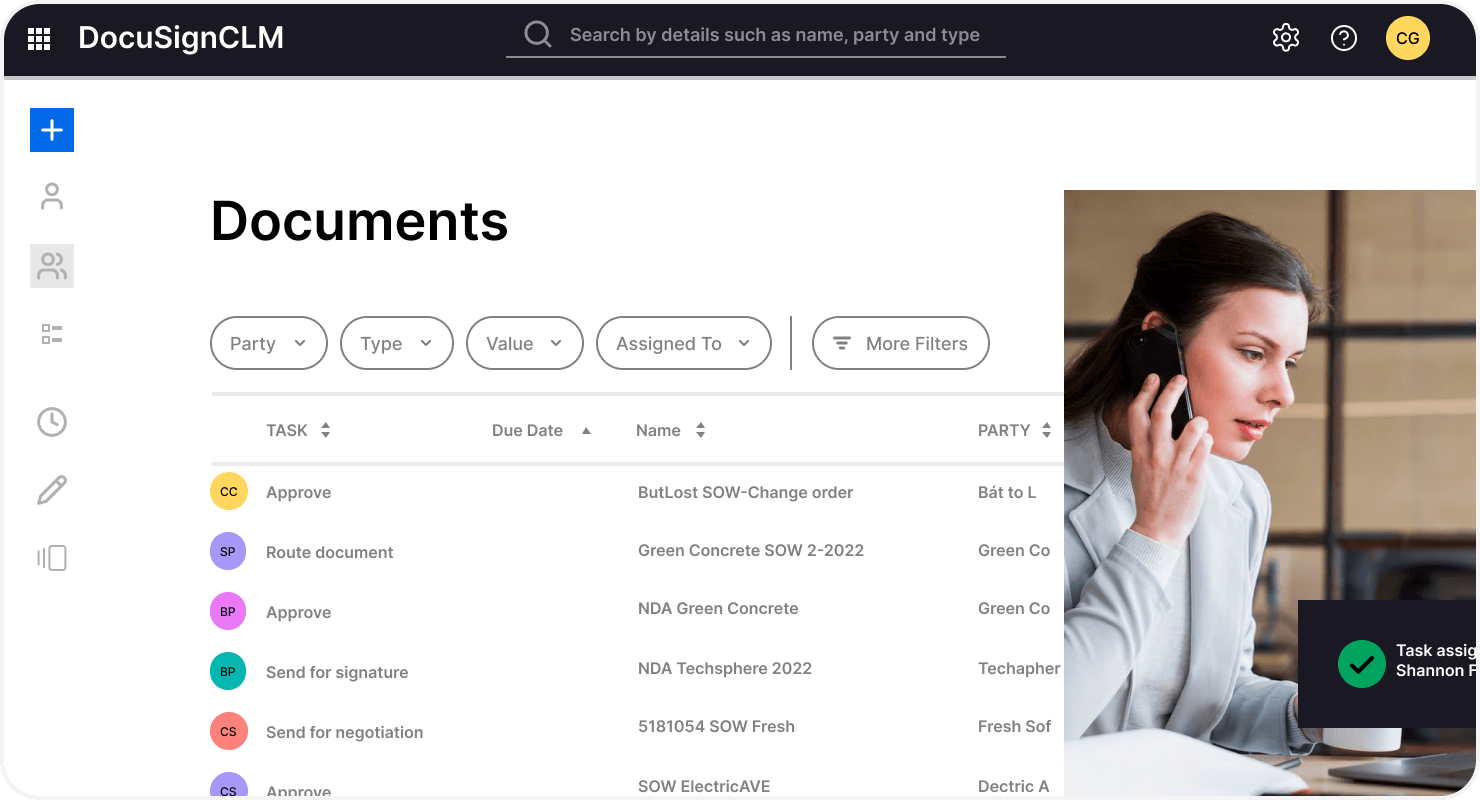
DocuSign is the most widely recognised e-signature platform and integrates with over 400 applications including Salesforce, Microsoft 365, and SAP. It handles high signing volumes reliably and meets compliance standards across most global jurisdictions. The trade-off is cost — DocuSign’s pricing scales quickly for growing teams, and contract management features require a separate, more expensive product.
3. Adobe Acrobat Sign
Best for: Teams already embedded in the Adobe or Microsoft ecosystem
Adobe Acrobat Sign combines e-signature with advanced PDF editing in one workflow. It integrates with Salesforce, Workday, and Microsoft 365, and meets strict compliance standards including HIPAA, FERPA, and FDA 21 CFR Part 11. It is a strong choice for regulated industries where document formatting and compliance standards are tightly controlled.
4. Dropbox Sign
Best for: Smaller teams looking for a simple, affordable signing tool
Dropbox Sign (formerly HelloSign) offers a clean interface, straightforward API, and competitive pricing for teams with moderate signing volumes. It covers the basics well but lacks the advanced workflow configuration and CLM integration that growing businesses eventually need.
5. PandaDoc
Best for: Sales teams that need signing bundled with proposal and quote management
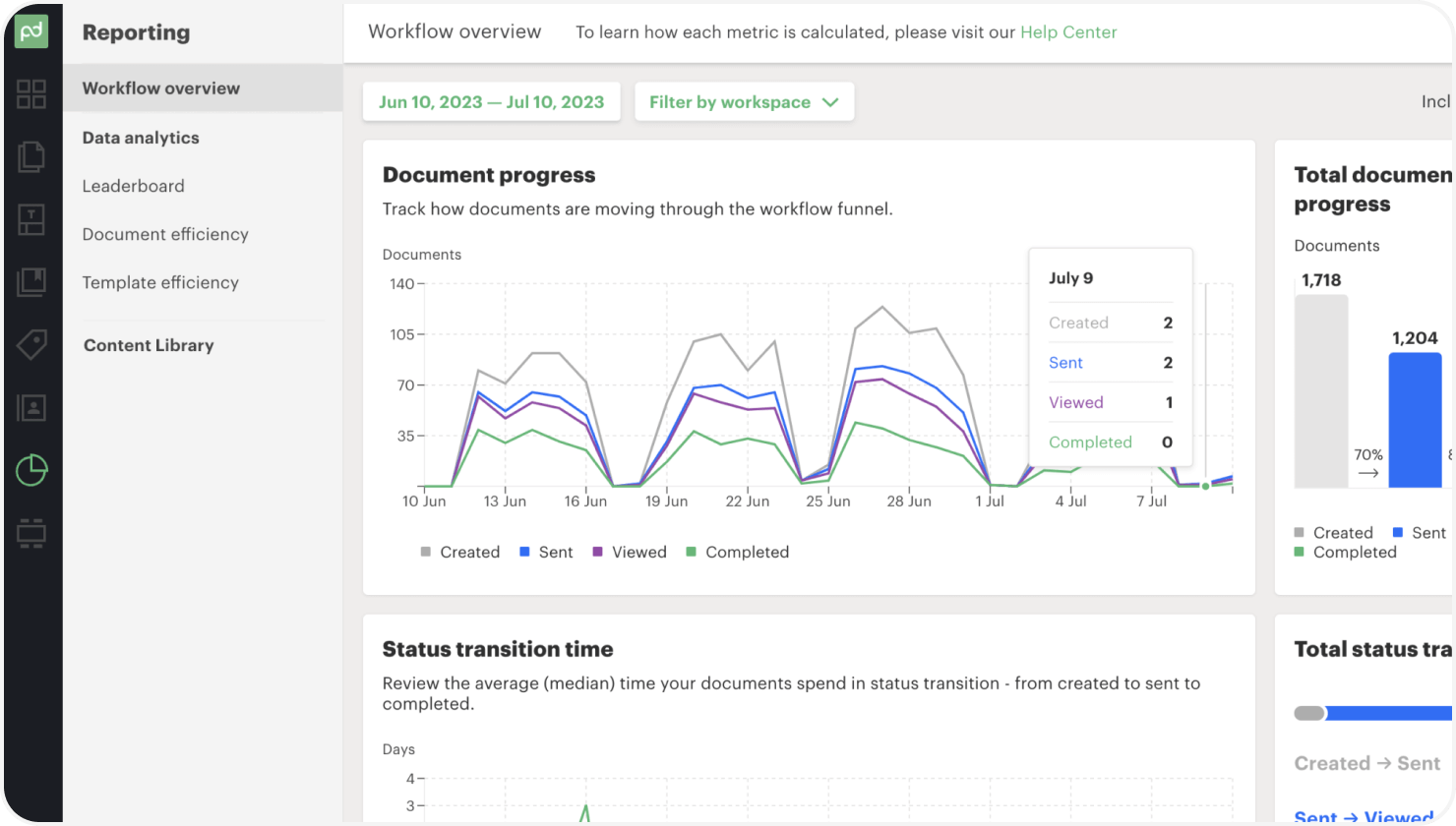
PandaDoc combines document creation, e-signatures, and payment collection in one tool. It is particularly strong for sales workflows where proposals, quotes, and contracts move together. It is less suited for legal or procurement teams managing complex multi-party agreements.
| Tool | Best For | Signing Methods | Contract Management | Compliance Coverage | Key Limitation |
| HyperStart CLM | Mid-market teams managing full contract lifecycle | Hand-drawn, OTP, Aadhaar, click-to-sign, DocuSign, Adobe Sign, Dropbox Sign | Full CLM built-in — draft, negotiate, sign, track in one platform | IT Act 2000, eIDAS, ESIGN Act | Focused on mid-market; not built for enterprise-scale volumes |
| DocuSign | Enterprises needing broad app integrations | Hand-drawn, click-to-sign, SMS authentication | Signing only — contract management requires a separate paid product | Global — ESIGN, eIDAS, HIPAA, GDPR | Expensive at scale; CLM features sold separately |
| Adobe Acrobat Sign | Regulated industries with strict document standards | Hand-drawn, click-to-sign, phone authentication | Basic document tracking — not a CLM replacement | HIPAA, FERPA, FDA 21 CFR Part 11, eIDAS | Limited workflow flexibility outside Adobe ecosystem |
| Dropbox Sign | Small teams with low to moderate signing volumes | Hand-drawn, click-to-sign, email verification | No contract management — signing tool only | ESIGN Act, UETA | Lacks advanced workflows and bulk signing at scale |
| PandaDoc | Sales teams combining proposals, quotes, and contracts | Hand-drawn, click-to-sign | Proposal and quote management — not built for legal or procurement workflows | ESIGN Act, UETA | Not suited for complex multi-party or compliance-heavy agreements |
How to sign a contract digitally: step-by-step
1. Choose an electronic contract signing software
Selecting the right contract signing software helps streamline your electronic contract signing process. Find reliable options through software review platforms like G2 and Capterra, or by searching vendor websites directly. Here are a few factors to consider while choosing your e-sign contract solution.
Ensure the interface is intuitive and easy for all team members to navigate.
Check if the software easily integrates with your existing tools like CRMs and identity verification software.
Look for encryption, authentication options, and compliance with relevant regulations to protect sensitive information.
Evaluate whether the software can grow with your business to accommodate an increasing number of users and transactions.
Assess the availability and quality of support services to assist you when required.
Not considering these factors leads to inefficiencies, increased costs, and potential compliance issues down the line. Also, if you do not want to spend time in research, you can choose HyperStart CLM. HyperStart CLM offers multiple signing options like Docusign, Adobe Sign, and Dropbox Sign. Book your demo today and experience error-free integration.
2. Prepare your agreement
After choosing the right software, the next step is to prepare your electronic documents—drafting the agreement and getting it reviewed by the relevant parties. You can create contracts using pre-approved templates, clause libraries, or even draft one from scratch.
Once drafted, the agreement is set up for approval to reliable contract workflow automation software. Here, the relevant parties review, redline, negotiate, and finalize the agreements.
3. Select signatories from the workflow
Once negotiated, set signatories for your contract’s approval workflow. You can set as many signatories as you want to and even create signature steps such as:
Ad hoc signature: Pseudo-signatures can be used for routine approvals or internal documents. This helps avoid delays due to the signatory’s unavailability.
Parallel signature: There is no fixed order for signing the contract. Any signatory can sign the contract at any time.
Sequential signature: Signatures are collected in a pre-defined order. The next signatory cannot sign the contract until the preceding signatory has agreed to the contract.
4. Send contracts for signing
Once you have created the signature workflow, you can send the contract to your counterparties for signing. The internal parties can sign the contract directly using HyperStart. For external parties not using HyperStart, you request signatures via email.
5. Remind signatories of due signatures
You can get the real-time signature status of the signatories and identify bottlenecks in the signing process. Send reminders to the signatories in case they have not signed the contract already to accelerate the contract acceptance process.
Follow this simple process and your contracts are signed within a few clicks. HyperStart focuses on providing a sleek and effortless signing experience—elevating your overall CLM efficiency in the process.
Are electronic signatures legal?
Yes. The ability to eSign contracts is legally recognised in most countries worldwide. A digital signature contract carries the same legal standing as a traditional wet ink agreement, provided it meets the requirements of the applicable law in that jurisdiction. E-signature contracts are enforceable across most commercial use cases — from vendor agreements to employment contracts.
Here is how key markets treat e-signature validity:
- United States — Governed by the ESIGN Act (federal) and UETA (state level). Both give electronically signed contracts the same legal standing as wet ink signatures.
- European Union — Governed by eIDAS, which recognises three tiers of e-signatures: simple, advanced, and qualified. Qualified electronic signatures carry the highest legal weight across all EU member states.
- India — Governed by the IT Act 2000. Electronic signatures are legally valid, with Aadhaar-based signing and DSC (Digital Signature Certificates) recognised for compliance-heavy agreements.
- United Kingdom — The Electronic Communications Act 2000 gives e-signatures full legal validity for most commercial contracts.
- Canada — PIPEDA and provincial equivalents recognise e-signatures for most business agreements.
Understanding the digital signature vs electronic signature distinction matters — digital signatures come with encryption, IP tracking, and digital certificates to verify authenticity. This level of security helps prevent fraud and unauthorised access, giving you confidence that your contracts are valid and protected.
When e-signatures may not be sufficient: Certain document types still require wet ink signatures in most jurisdictions — including wills, court orders, real estate deeds, and some government filings. Always verify local requirements before replacing physical signatures in these categories.
Features to look at when choosing an electronic contract signing software
1. Multiple signing options
Sign contracts through DocuSign, Adobe Sign, Dropbox Sign, OTP, Aadhaar, and other legally binding e-signature methods.
Add stamps to your agreements that comply with governing laws and jurisdictions.
2. No-code esignature workflows
Integrate signature steps in your contract approval workflows.
Determine signature processes and set custom conditions for ad-hoc, sequential, or parallel signing.
3. Sign reminders
Get real-time status of contracts due for signatures.
Send reminders to signatories for pending signatures for faster acceptance.
4. Auto-sign bulk contracts
Bulk-sign pre-approved contract templates for accelerated CLM processes.
Set multiple internal and external signatories for agreements.
5. Detailed audit trails
Access detailed audit trails and track changes across contract versions.
Use activity logs to pinpoint revisions and key events.
What are the benefits of digital contract signing?
Moving from physical to digital contract signing impacts speed, cost, compliance, and accessibility. Here are the key reasons why organizations are switching to electronically signed contracts.
1. Speeds up contract signing
With physical signing, either the contracts need to be transported to different locations, or the involved parties have to gather under one roof to sign the agreement. Either way, this approach delays contract signing and the execution of the deal.
On the other hand, digital agreement signing accelerates time-to-sign by enabling contract parties to sign at any time, anywhere. Online signing of contracts helps bypass bottlenecks like time zone differences and logistics, and accelerates the contract lifecycle management process.
2. Reduces cost-per-sign
Signing a contract manually comes with a cost. Apart from printing, ink, and transportation, this cost may also include the cost of signing errors and legal fees. An incorrect signature can become a major hurdle in contractual processes.
Electronic contract signing helps bring down the cost-per-sign to almost zero. There is no cost associated with printing, ink, or transportation for a digital agreement. Moreover, eSignatures are pre-verified and endorsed, making them free from human errors, which further reduces contract signing costs.
3. Enables remote signing
Are you planning to expand your business internationally? If so, wet-ink signing a contract with the counterparties can be tricky. The person signing the document may need to travel far distances to close the deal—hampering brand experience and delaying deal closure.
By taking the signing process online, you can enable virtual contract signing from anywhere in the world. The ability to e-sign contracts across borders helps organizations expand internationally without worrying about legal hassles and paperwork.
4. Offers detailed audit trails
Tracing signatures helps ensure their authenticity and enables legal teams to resolve contractual disputes. With physical signatures, it is challenging to trail the signature back to the signee without a witness.
Online contract signing software, on the other hand, offers detailed audit trails on the platform. It is possible to trace the signature back to the signee using IP addresses, identification keys, logs, certifications, and other authentication mediums. This helps ensure the validity of the electronic signature.
HyperStart’s agreement signing software solution offers detailed audit trails and activity logs to ensure transparency and accountability throughout the redlining and signing process.
5. Provides diverse signing options
There are limited ways to accept a contract manually, the most common of which are hand-signature, seal, and stamp. However, there are many ways of signing documents online like:
Hand-drawing signature: This method is as simple as scribbling your signature on an electronic document.
OTP-based signing: Generate an OTP on your mobile number or email address and enter the OTP as a signature.
Clicking an ‘Accept’ or ‘Agree’ button: Sign high-stake contracts sophisticatedly through a single-click ‘agree’ or ‘accept’ button.
Digital signature files/symbols: Add your signature’s digital copy (image file) to the document as a token of acceptance.
Adding the signee’s name to the document: Sign contracts by simply typing in your name—which is attached to your IP address.
6. Easy integration with existing systems
Switching to electronic contract signing does not require you to change the entire signing process. The best e-signature tools easily integrate with existing systems for creating and managing contracts. This keeps your workflow smooth while adopting digital signing.
Integrating e-signature with tools like CRMs and document management systems makes it easier to collaborate without interruptions. Also, these integrations help maintain a centralized document repository which makes it easy to track contracts throughout their lifecycle.
7. Strengthens contract security
Physical signatures offer limited protection against fraud. E-signatures come with built-in security measures like encryption, multi-factor authentication, and tamper detection. Every signed document is sealed with a digital certificate that records the signer’s identity, timestamp, and IP address.
If anyone attempts to alter the document after signing, the digital signature becomes invalid. This level of protection gives legal and compliance teams confidence that contracts remain authentic and helps organizations meet data privacy standards like GDPR, HIPAA, and SOC 2.
Stop chasing signatures across email threads
Legal teams using HyperStart close contracts 70% faster with native e-signature workflows and automated reminders.
Who uses electronic signatures?
Different business teams use contracts differently in an organization. As a result, how agreements are signed varies from one business team to the other. Here are a few examples:
Sales: Sales representatives use eSignatures for non-disclosure agreements, MSAs, SLAs, proposals, purchase orders, sales bills, work statements, quotes, estimates, and invoices. Digitally signing agreements helps close deals faster.
Legal: Using eSignatures helps legal staff accelerate contract TAT and handle large volumes of legal document review on the go. The legal team uses eSignature for NDAs, confidentiality agreements, warranties, and intellectual property licensing.
HR: Employment contracts, offer letters, onboarding forms, employee NDAs, permanent contracts, and consulting agreements are automatically generated and signed electronically, giving the HR contracts team more bandwidth.
Finance: Digital signing helps accelerate financial approval in CLM processes. Financial documents like invoices, leases, promissory notes, purchase orders, insurance, and expense reports can be signed as a digital signature agreement.
Procurement: Procurement teams can use eSignatures to manage vendor contracts. It helps boost vendor contracts finalization and streamline procurement operations.
Operations: Teams can e-sign agreements like unit price contracts, times and materials contracts, and supply agreements. This digital process simplifies contract management and improves efficiency.
Marketing: Marketing departments use eSignatures for influencer contracts, photography releases, and exhibit space rentals. This approach speeds up approvals and enables campaigns to launch without delay.
Reduce contract turnaround time by 70%
HyperStart’s AI-powered CLM automates contract creation, signing, and tracking so your team stops chasing approvals across inboxes.
Steps to Confirm Before Signing a Contract Electronically
Before you hit sign, run through these checks to make sure the agreement is legally sound and ready for execution:
- Verify the document is final. Confirm no further redlines, negotiations, or edits are pending. Signing a draft version creates legal ambiguity.
- Check all signatories are identified. Every party required to sign should be listed and their signing order confirmed before the document is sent out.
- Confirm the signing method meets compliance requirements. Some contracts require advanced or qualified e-signatures under eIDAS, or Aadhaar-based signing under India’s IT Act. A simple click-to-sign may not be sufficient for every agreement type.
- Review the notice and governing law clauses. Check which jurisdiction governs the contract and whether your e-signature method is valid under that law.
- Ensure the audit trail is active. Verify your platform will record IP address, timestamp, and signer identity at the point of signing.
- Check expiry and renewal terms. Confirm any auto-renewal clauses, notice periods, and expiration dates are clearly stated before the contract is locked in.
- Confirm authorised signatory. An authorized signatory must have the authority to bind the organisation — an unauthorised signatory can void the contract entirely.
Stop losing days to signature bottlenecks
Native e-sign with 94% AI accuracy, fully compliant digital signing, and deployment in just 4 weeks.
Collect legally-binding signatures digitally with HyperStart
Electronic contract signing is a faster, more secure, and more efficient way to finalize agreements. Whether you need online contract signing for remote teams, digital contract workflows for compliance, or scalable e-signature methods for high-volume operations, going digital surpasses the limitations of wet ink signing and streamlines your CLM process. If you are looking for a reliable and automated solution to sign contracts electronically, choose HyperStart.
Owing to its integrations with DocuSign, Adobe Sign, Dropbox Sign, OTP, Aadhaar, and other legally binding eSignature methods, HyperStart helps collect every digital contract signature effortlessly. HyperStart offers unique contract eSigning functionalities that foster efficiency, speed, and compliance in contract management. Book a demo today to learn more.