An AI contract review workflow in contract lifecycle management (CLM) software connects intake, a playbook, AI clause-by-clause review with fallback redlining, and risk-tiered routing. A human approves every change before it goes out.
This guide sets the workflow up in five steps, starting with NDAs. It is written for legal and operations teams whose contracts still live on a shared drive and in Word templates.
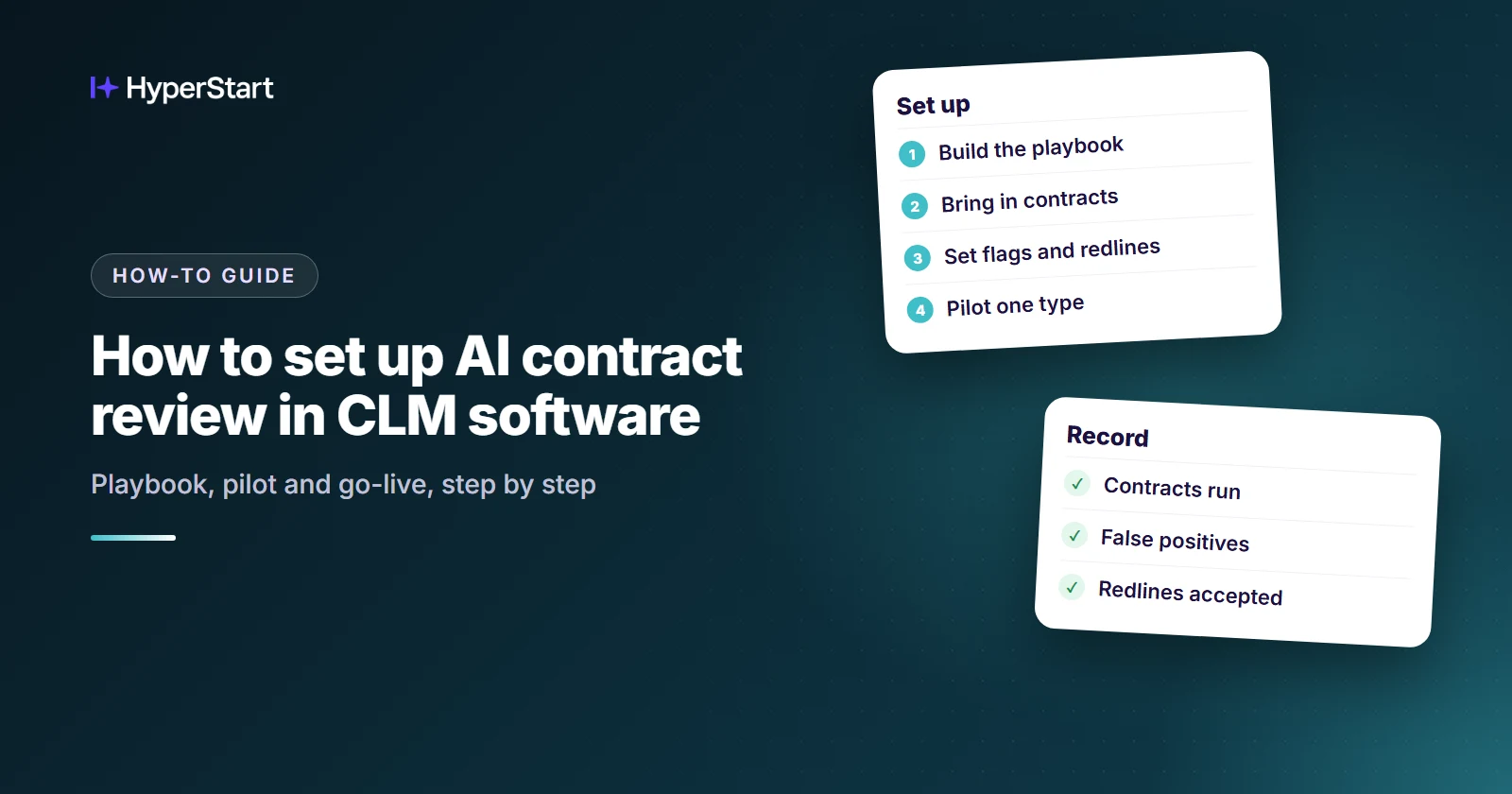
- The workflow has five parts: intake, a playbook, AI review with fallback redlines, risk-tiered routing and a pilot.
- The playbook sets your standard position, approved fallbacks and risk threshold for each clause.
- Green contracts take a fast path, amber ones get a confirmed fallback, and red ones go to legal.
- Pilot the workflow on 10 to 15 contracts you have already negotiated before you go live.
- Most AI misses trace back to a position the playbook never stated, so fix the playbook first.
The five steps to build the workflow
Build the workflow in five steps: intake, playbook, AI review, routing and a pilot. The order below runs intake first, then the playbook. You can write the playbook first if your positions are already settled.
What matters is that both exist before the AI reviews anything.
Step 1: Set up intake that records and classifies every request
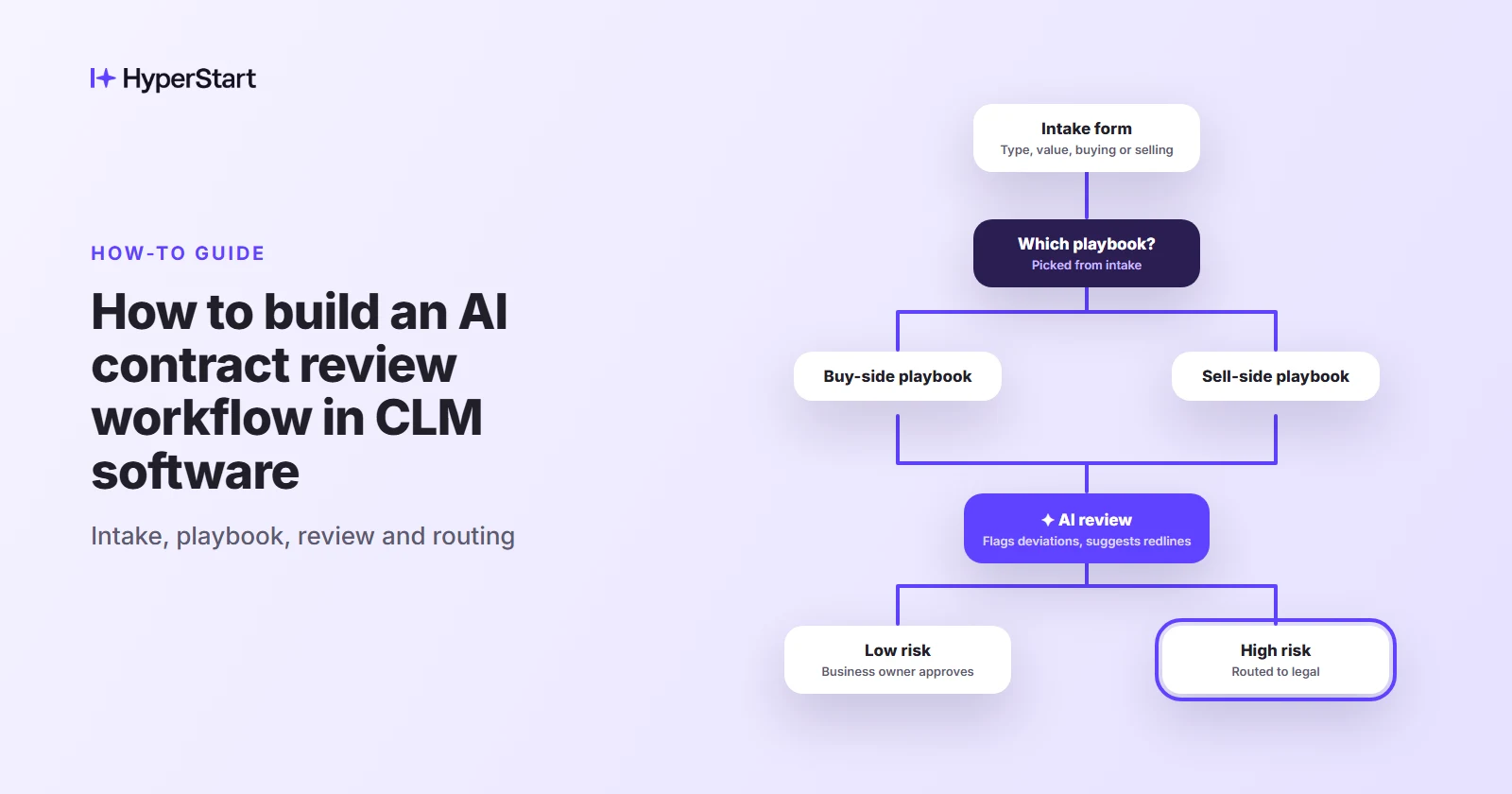
Set up intake in your CLM so every contract request arrives through one form. The form collects the counterparty, contract value and contract type, so the request is sorted before playbook review begins.
Many CLM tools offer intake forms that sales and procurement fill in themselves.
- Request details: Ask for counterparty, value and contract type up front, so the AI knows which part of the playbook applies.
- Classification: Tag each request as an NDA, MSA, DPA or SOW, and attach the matching template when the deal goes out on your paper.
- Your side of the deal: Record whether you are buying or selling. The same liability cap protects you from one side and exposes you from the other.
Step 2: Codify your playbook of standard positions and fallbacks
Write a playbook that tells the AI three things for each clause: your standard position, the fallbacks you accept, and the risk threshold beyond which the contract goes to legal. This playbook is the foundation of the whole workflow.
- Standard positions: Set one plain statement per clause, such as the liability cap you start from or payment on Net 30.
- Pre-approved fallbacks: Write the exact alternative language legal has already signed off, such as accepting Net 60 when Net 30 is refused.
- Risk thresholds: Define the point past which no fallback applies and a lawyer has to decide.
Step 3: Configure the AI to compare each clause and propose fallback redlining
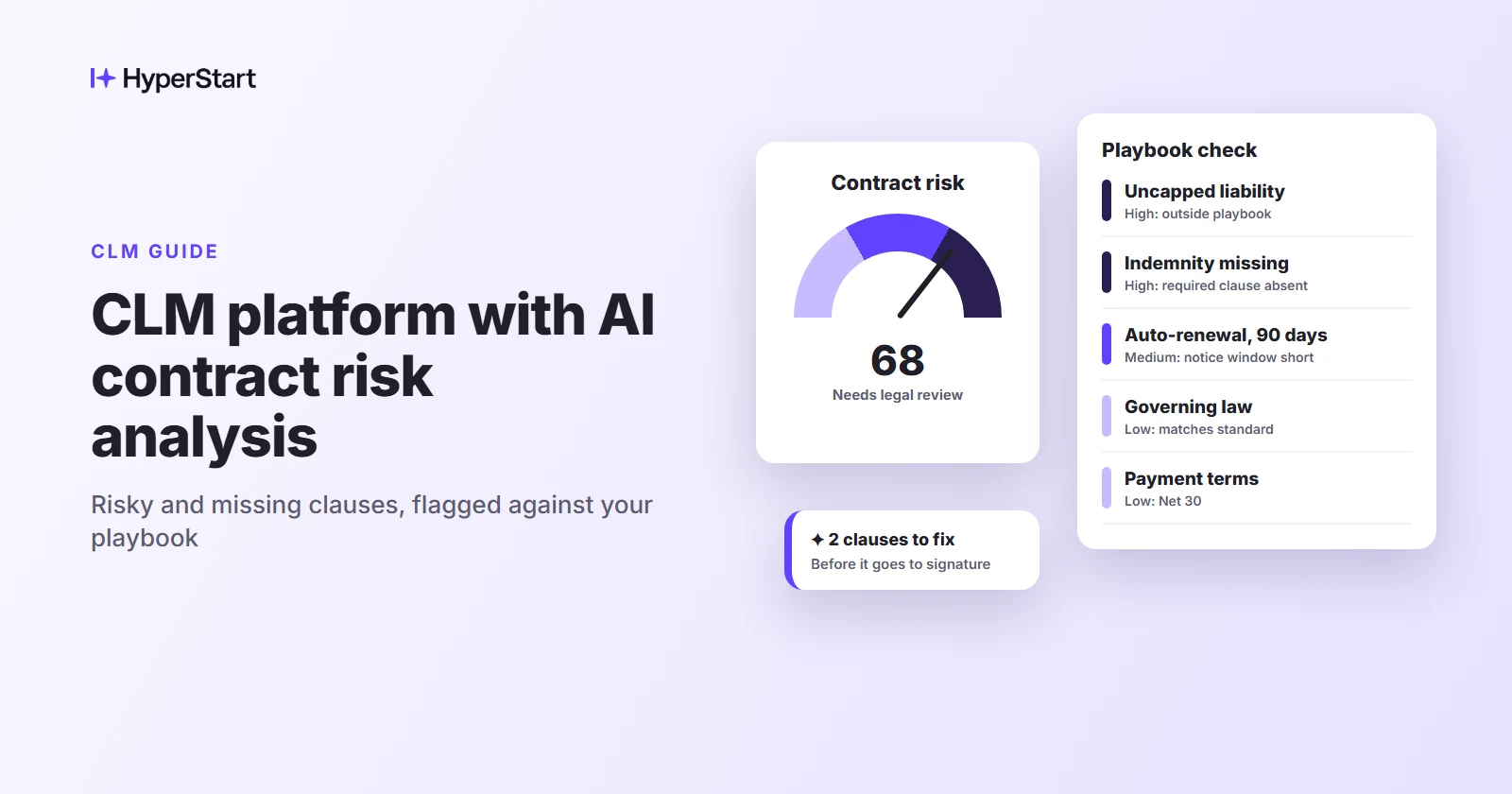
Configure the AI to read each incoming draft clause by clause and compare it against the playbook. It should flag every deviation and propose the pre-approved fallback as redlining or a comment, not just a flag.
- Clause-by-clause comparison: Each missing, non-standard or out-of-threshold clause is flagged with the playbook position it breaks.
- Fallback redlining: The AI inserts your approved alternative wording, so the reviewer edits a proposal instead of starting from a blank margin.
- Comments for the counterparty: The AI drafts a short explanation from the playbook, so the pushback reads as policy rather than preference.
- Word editing: Some CLM tools let reviewers edit the AI’s redlines in Word inside the platform, so every round stays with the deal.
Step 4: Route by risk tier and keep a human approving
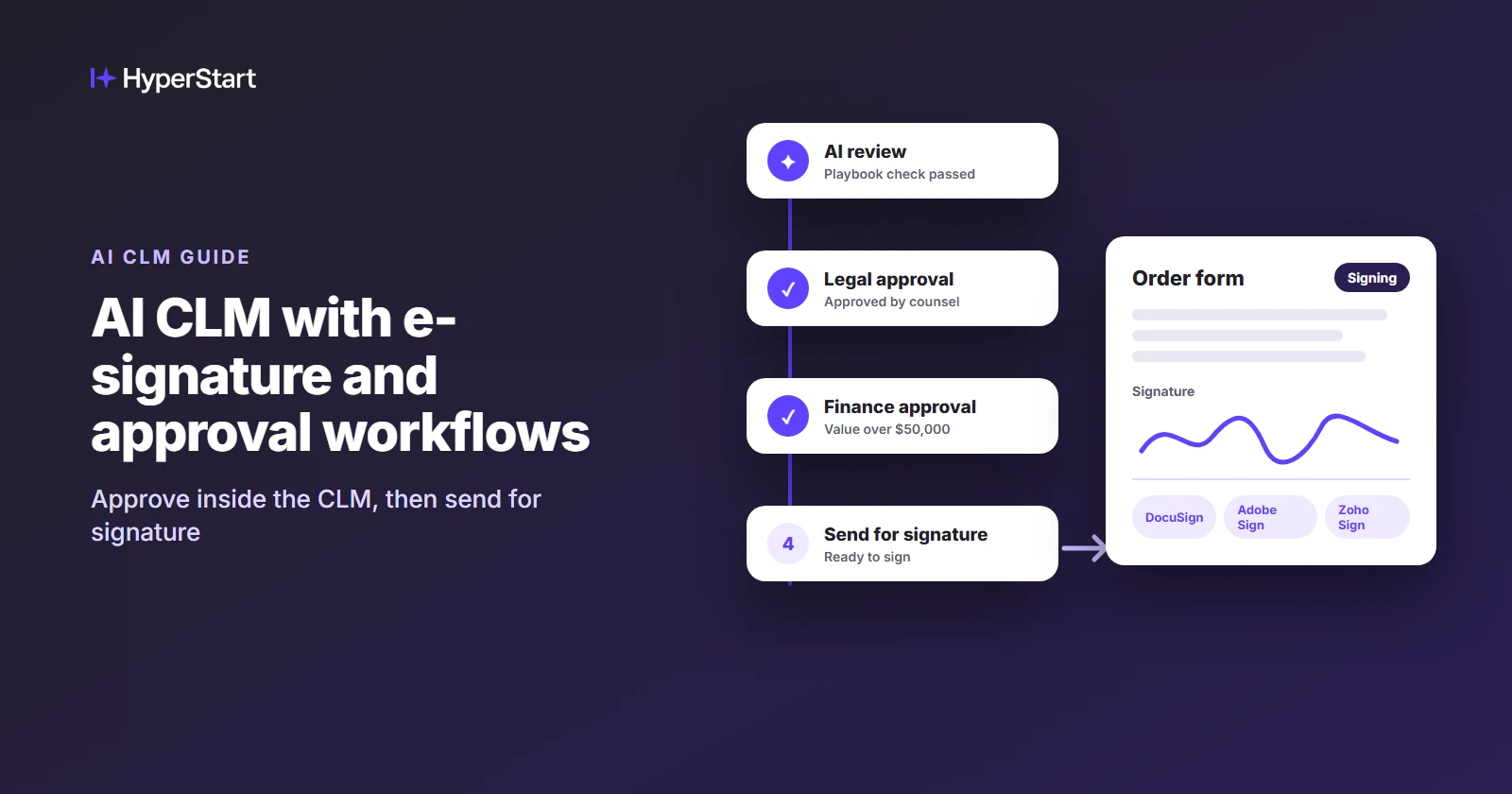
Route each AI-reviewed contract by risk tier. Compliant, low-risk paper takes a fast path, and deviations from the playbook escalate to legal with context. In every tier, a human reviewer approves the AI’s changes before anything goes out.
- Green: The contract matches the playbook, such as a standard NDA on your template. It goes on the fast path with a light sign-off from the contract owner.
- Amber: A deviation is covered by a pre-approved fallback. The owner or legal confirms the AI’s proposed redlining.
- Red: The contract is outside the risk thresholds, such as an uncapped liability clause. It escalates to legal through the approval workflow.
Human-in-the-loop: The AI drafts, flags and proposes. A named person approves, and the approval workflow records who it was. In many CLM tools, legal draws these routes as no-code workflows and redraws them when a threshold moves.
Step 5: Pilot on 10-15 past contracts, then go live on NDAs
Before going live, run the AI and your playbook on 10-15 contracts you have already negotiated. Compare what the AI flagged with what your lawyer changed at the time. Some vendors set up this test on your own contracts during a free trial.
- Start where volume is high and risk is low: NDAs give the AI the most repetitions with the least at stake.
- Fix the playbook first: Most misses trace back to a position the playbook never stated. Update it from the edits your attorneys actually made.
- Widen in order: Once NDAs run cleanly, add DPAs and SOWs, then MSAs, where more of the clauses are negotiated.
After signature: track renewals, obligations and amendments
After signing, have the AI extract obligations, renewal dates and notice periods into a searchable repository. Tracking then starts the day the contract is signed, not the day someone remembers it.
- Signature handoff: Send approved contracts to the signing tool your team already uses, whether that is DocuSign, Adobe Acrobat Sign or Zoho Sign.
- Renewal tracking: Set reminders ahead of auto-renewal and notice windows, so nothing renews without someone deciding to renew it.
- Amendments: Link each amendment to the agreement it changes as part of a contract family, so the current terms are never in question.
Common mistakes when building the workflow
Most stalled workflows fail on setup choices, not on the AI. Watch for these five:
- Turning on AI before the playbook exists. The AI then grades contracts against generic norms, and reviewers stop trusting its flags.
- Starting with MSAs. They carry the most negotiated clauses, so early misses are costly. Start with NDAs and widen later.
- Skipping the buy-or-sell field at intake. The AI grades a buyer-friendly clause as a risk when you are the buyer.
- Letting the vendor own the routing. If every threshold change needs a ticket, the routes fall behind your real policy.
- Judging the pilot on new contracts. Use contracts you already negotiated, so you have a lawyer’s edits to compare against.
See HyperStart CLM on your own contracts
Bring a few of your own contracts, and we’ll run them through HyperStart with you in a live demo.
Book a DemoHow to judge the pilot before you go live
Judge the pilot by comparing the AI’s output with what your lawyers did on the same contracts. Decide your pass mark before the first contract runs, not after you see the results.
- Missed issues: Count the clauses your lawyer changed that the AI did not flag. Each one points to a gap in the playbook.
- False alarms: Count the flags your lawyer would have ignored. Too many, and reviewers start skipping flags.
- Redline fit: Check whether the proposed fallback was the wording your lawyer actually used.
- Routing: Confirm each contract landed in the tier, and with the approver, you expected.
Then make one decision: go live on NDAs, retune the playbook and rerun, or stop.
What to look for in a CLM for AI contract review
Look for a CLM that can run all five steps above without a project in the middle. Score each candidate against the checks below. Those answers tell you more than any feature list.
| What to check | Why it matters | HyperStart’s answer |
| Playbook-driven review on your contracts | A demo on sample files hides how the AI handles your clauses. | AI review against your playbook with risk flags, tested in a custom proof of concept on a 7-day free trial after a demo (pricing). |
| Where redlining happens | If the redlined file goes out by email, the latest version lives in an inbox. | Redlining in Microsoft Word inside the platform, with “suggest, rollback and comment” on every change. |
| Who builds the approval workflow | Routing rules change whenever thresholds change. | Your team draws approval workflows itself, with no code. |
| The signing tool you already own | Replacing it adds work for sales and finance. | Signing runs through DocuSign, Adobe Acrobat Sign or Zoho Sign. |
| Contract family support | Amendments change the terms the next review starts from. | Amendments link to their parent agreement, and metadata rolls up across the contract family. |
| Security review and access controls | Decide who sees which contracts before anything is uploaded. | SOC 2 Type 2 and ISO 27001 certified, and HIPAA compliant, with role-based access and encryption. |
| License and implementation priced separately | A license quote without implementation is not the number you will pay. | Custom quote by users or contract volume; workflows, integrations and migration included at no extra fee. |
Start with one contract type
The one thing to do tomorrow: pull the last ten NDAs you signed off the shared drive, together with your lawyers’ marked-up drafts.
Those files already hold your standard positions and the fallbacks you accepted, so they become your first playbook and your pilot set in one step.
Bring them to HyperStart, where the AI checks each NDA against that playbook and your reviewer edits the fallback redlines in Microsoft Word inside the platform.
Book a demo with those ten NDAs, and you will see where your playbook needs work before any MSA goes near it.
Try HyperStart CLM before you decide
The whole contract lifecycle in one product, live in weeks, with implementation included in the quote and no implementation partner.
Book a Demo