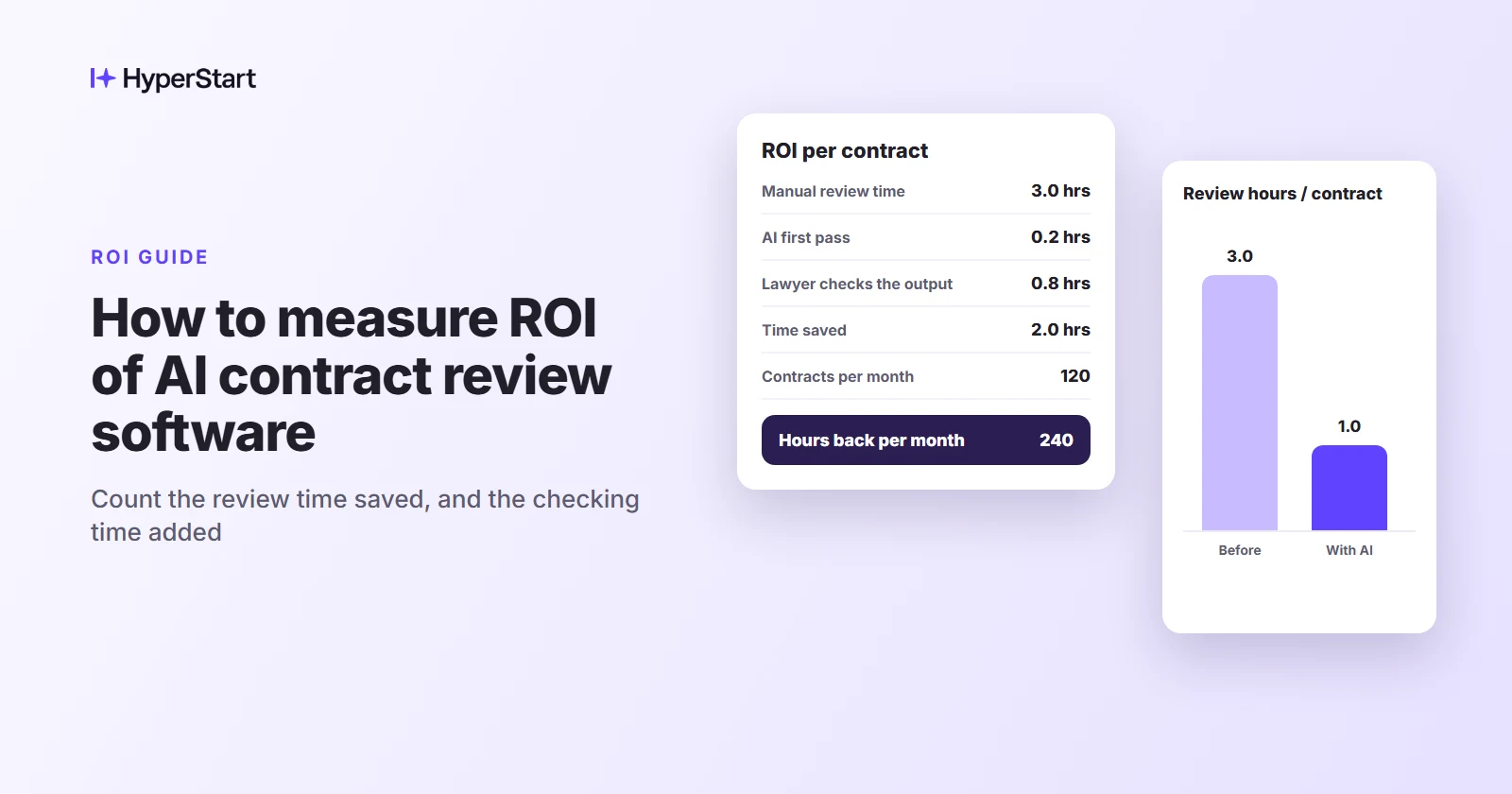
To measure ROI, compare time saved, outside counsel spend avoided and risk reduced against the total cost of the software, then divide by that cost. The formula is:
ROI (%) = (Annual benefits – Total software cost) � Total software cost � 100
Put simply, take what the tool saves your legal team in a year and subtract everything it costs. Divide the result by that cost and multiply by 100.
The savings only count when you measure them against a pre-AI baseline of review time, contract volume and loaded hourly rate. This guide is for the legal or operations lead who has to build that case with no history to point to.
- ROI equals annual benefits minus total cost, divided by total cost, times 100.
- Build a pre-AI baseline of volume, review time, cycle time and loaded hourly rate before you buy.
- Count the full cost of ownership, including the attorney time spent checking AI output.
- Use savings figures from your own pilot, not from a vendor demo or a published benchmark.
- Keep outside counsel savings, capacity and risk as separate lines so finance can test each one.
Step 1: Build a baseline when your contracts live on a shared drive
A baseline is your “before” picture: how many contracts you handle, how long each one takes, and what an hour of that work costs.
Axiom recommends recording time per task, outside counsel spend and intake volume for the prior three to six months. A window that long also keeps one unusual week from skewing the result.
What should the baseline record?
The baseline should record six things for each contract type you plan to run through the tool.
- Volume by type: NDAs, MSAs, vendor agreements, renewals and amendments, counted separately.
- Review time per contract: hands-on hours, including every redlining round.
- Cycle time: days from receiving the contract to signature.
- Fully loaded hourly rate: salary plus benefits and overhead, divided by working hours, blended across everyone who touches the contract.
- Outside counsel spend: invoices for contract work your team could have kept in-house.
- Status-chasing time: hours spent answering “where’s my contract?”
How do you reconstruct a baseline without contract software?
Without a contract lifecycle management (CLM) system, the evidence is still there. It’s just spread across your drive and inbox.
- Cycle time from email: use the date the counterparty’s paper first arrived and the date of the executed file.
- Redlining rounds from file versions: count the saved versions in each contract’s folder.
- Missed renewals and amendments: list the ones found by hand, and note which surfaced after the notice window had closed.
- Status requests: log every “where is it?” message from sales, finance or HR for a sample period.
Why shouldn’t you rely on self-reported time?
Self-reported time is a weak base because memory tidies up the work. Ask a reviewer to estimate a contract from last quarter, and the number usually comes out neater than the work really was.
Anchor estimates to file and email timestamps wherever you can, and use memory only to fill the gaps.
Step 2: Add up the total cost of the software
The denominator in the ROI formula is the full cost of ownership, not the license price alone. It covers license and user fees, implementation and training, integration, and ongoing support. Add one cost most budgets miss: the attorney time spent checking what the AI produces.
| Cost line | What to include |
| License | User or volume fees for the year |
| Implementation | Setup, workflow configuration, contract migration |
| Integration | Connections to signing, storage and other systems you already run |
| Training | Hours your team spends learning the tool, valued at the loaded rate |
| Maintenance and support | Ongoing support fees or internal admin time |
| Verification time | Attorney hours checking and correcting AI output |
Have every vendor quote license and implementation as separate lines. A total that hides implementation inside the license, or leaves it out entirely, is not the number you’ll actually pay.
Step 3: Put a dollar figure on hours saved and outside counsel spend
Labor is the one hard-dollar lever in every ROI model:
Labor value = hours saved per contract � contracts per year � fully loaded hourly rate
Which time-saving figure should you use?
Use the time saving you measure in your own pilot. Published savings figures mostly come from vendors, they disagree with each other, and you cannot see which contracts they were tested on.
A vendor figure can tell you whether your model is in a sensible range. It should never be the number you put in front of finance.
Why do vendor demo numbers overstate savings?
A demo runs on a few clean, curated NDAs. Your inbound contracts include scanned PDFs, counterparty paper and edge cases, and those are where the time goes. A demo number is a best case, not your case.
Judge any tool on ten of your own contracts rather than on a demo set.
How do outside counsel savings and capacity count?
Count them as separate benefit lines next to labor, each with its own evidence.
- Outside counsel avoided: matters you can now keep in-house, multiplied by what you paid per matter before. Compare what you would have spent at current rates with what you actually spent.
- Capacity without headcount: more contracts handled per lawyer per month, with the same team.
- Budget framing: in-house teams should read savings as cost avoided, not revenue earned. Axiom’s guide adds that productivity gains that never appear in the budget stay invisible to finance and leadership.
Step 4: Count cycle time and risk alongside the dollars
Count turnaround and risk measures next to the dollar figure, even when they don’t show up as a budget line. Finance can read these as evidence that the faster review did not cost you quality.
- Turnaround time: days from receipt to signature, against your baseline and any internal service-level target.
- Playbook adherence: the share of contracts that land on your standard or fallback positions for liability caps, indemnification and other clauses that carry risk.
- Non-standard clause catches: deviations flagged before signature that a manual pass might have missed.
- Renewals caught in time: auto-renewals and notice dates surfaced before the window closes.
- Business self-service: the share of requests resolved without legal involvement.
See HyperStart CLM on your own contracts
Bring a few of your own contracts, and we’ll run them through HyperStart with you in a live demo.
Book a DemoStep 5: Run the ROI formula on a 30-90 day pilot
Pick one contract type, such as NDAs or vendor agreements, and run it through the tool on your own contracts for 30 to 90 days. Record the same measures you baselined in Step 1. Then put the measured figures into the formula.
The worked example below uses hypothetical numbers, not any vendor’s result or price. It counts labor savings only.
| Input | Hypothetical value |
| Contracts per year (NDAs and vendor agreements) | 600 |
| Review hours per contract before | 1.5 |
| Review hours per contract after, including verification | 0.75 |
| Fully loaded hourly rate | $120 |
| Labor value (600 � 0.75 hours saved � $120) | $54,000 |
| Total annual software cost (all lines from Step 2) | $30,000 |
| ROI: (labor value – software cost) � software cost � 100 | 80% |
Add outside counsel savings and capacity as separate lines rather than folding them into labor, so finance can see and challenge each one.
Where the “after” numbers come from
Most CLM tools record the “after” figures as the work happens, so you don’t rebuild them from email at the end of the pilot. Check which of these your shortlist can show.
- Review time and turnaround: many CLM dashboards show each contract’s status, number of turns, total review time and who has it now. Those are your Step 1 measures, captured live.
- Risk measures: some tools generate reports on contract data and risk exposure, which supports the playbook adherence line in Step 4.
- Renewals caught in time: tools that extract renewal and notice dates can send reminders before the notice window closes.
If a tool can’t produce these, keep a simple log during the pilot. A spreadsheet with receipt date, signature date and hands-on hours is enough.
Questions to compare tools on total cost of ownership
Compare tools on the cost lines a small team feels first, not on the license alone. Ask every vendor the same questions and put the answers side by side.
| Question | Why it matters | HyperStart’s answer |
| How is the price set? | Seat-based and volume-based pricing grow at different rates as you scale | Custom quote scoped to contract volume or users, never both, on an annual plan (pricing) |
| Is implementation in the quote? | Separate setup and migration fees often decide year-one ROI | Workflows, integrations and migration are included at no extra fee, and teams go live in weeks |
| Does it cover the whole lifecycle or one stage? | Gaps mean extra tools, extra cost lines and extra copies | The whole lifecycle in one product, with signing through DocuSign, Adobe Acrobat Sign or Zoho Sign |
| Does redlining stay inside the platform? | Redlines sent by email hide review time from your measures | Redlining runs in Microsoft Word inside the platform, with versions tracked |
| How long will the security review take? | A slow review delays the pilot and the first savings | SOC 2 Type 2 and ISO 27001 certified, and HIPAA compliant |
A small team will feel the answers on implementation and security review in the cost row long before it feels the license.
Record your baseline first
Before any demo, write down three numbers for one contract type:
- Contracts handled per month.
- Hands-on review hours per contract, anchored to email and file timestamps.
- Your fully loaded hourly rate, agreed with finance.
Without these, any savings figure is a guess. With them, a 30 to 90 day pilot gives finance a before-and-after it can check line by line.
HyperStart’s in-flight dashboard shows each contract’s status, number of turns, total review time and who has it now, so the “after” side fills in as the work moves. Bring those three numbers when you book a demo, and we’ll show you where each one appears.
Try HyperStart CLM before you decide
The whole contract lifecycle in one product, live in weeks, with implementation included in the quote and no implementation partner.
Book a Demo